

Moises AI
Use Moises AI as the anchor for a real shortlist.
Instead of returning to a broad directory, jump straight into the strongest adjacent matchups for pricing, workflow fit, and differentiation.
Overview
Overview
Moises AI is a mobile-first audio application designed to empower musicians and content creators with artificial intelligence. It functions as a digital audio workstation (DAW) that runs directly on your device or in the cloud, allowing users to isolate vocals, separate instrument stems, and remix songs with professional-grade tools. The platform is particularly popular among musicians looking to practice with backing tracks or producers needing to edit stems for remixes and covers.
Key Features
- AI Stem Separation: Utilizes advanced machine learning to split audio into individual tracks, isolating vocals, drums, bass, and other instruments.
- Audio Mixing: Provides a comprehensive mixer with real-time controls for volume, pan, reverb, and EQ for each stem.
- Mastering Engine: Includes a mastering tool that analyzes and optimizes the loudness and EQ of your tracks for streaming platforms.
- Audio Transcription: Automatically transcribes audio into text in over 100 languages, helping users identify chords and lyrics.
- Binaural Beats Generator: Creates immersive 3D audio experiences for focus, relaxation, or meditation.
- Practice Mode: Enables musicians to mute specific instruments to focus on learning parts they find challenging.
Use Cases
Solo Practice
Musicians can upload their favorite songs and use the AI separation tools to isolate the backing track. This allows guitarists and vocalists to practice their parts without the original singer interfering, making it an essential tool for learning covers and improving timing.
Content Creation & Remixing
Content creators and DJs can extract stems to create unique remixes, mashups, or background music for videos. The built-in mixer allows for creative layering of different instrument channels to produce a polished final product.
Audio Transcription & Analysis
The built-in transcription feature converts audio into editable text, which is invaluable for musicologists, songwriters, and language learners. It helps identify specific lyrics and chord progressions within songs quickly.
Podcast Audio Cleanup
Podcasters can use the vocal isolation features to remove background noise or separate speech from music tracks during editing, streamlining the post-production workflow.
Pricing & Plans
Moises operates on a Freemium model. The free version allows users to access basic features, including a limited number of stem separations and audio mixing sessions. The Pro plan, typically priced at around $9.99 per month or $99.99 per year, unlocks unlimited stem separation, access to the master tool, and high-quality audio exports. There are no enterprise-specific pricing tiers currently listed, suggesting the platform targets individual creators rather than large corporate teams.
Integrations & Compatibility
Moises is accessible via a web browser, a desktop application (Mac and Windows), and dedicated iOS and Android mobile apps. It supports importing audio files from local storage as well as streaming platforms like Spotify and Apple Music (depending on platform support). While the core experience is mobile, the desktop version offers a more robust mixer interface for heavy editing.
Who Is It For?
Moises AI is designed for:
- Musicians: Guitarists, vocalists, and instrumentalists who want to practice with backing tracks.
- Content Creators: YouTubers, podcasters, and DJs who need to edit audio or create remixes.
- Music Producers: Beginners and intermediate producers looking for a mobile-friendly mixing solution.
Limitations
- Cloud Dependency: The most advanced separation features rely on cloud processing, which can result in latency during live mixing.
- Audio Quality Ceiling: Separating audio into stems can sometimes reduce the overall clarity or introduce artifacts, especially in complex or poorly recorded songs.
- Subscription Requirement: While a free tier exists, accessing the full suite of professional tools requires a paid subscription.
Final Verdict
Moises AI stands out as a powerful tool for musicians and creators who need flexibility and portability. Its ability to separate audio stems with high accuracy makes it a superior alternative to traditional audio editing software for casual users. While the cloud dependency and potential audio artifacts during separation are minor drawbacks, the benefits of practicing and creating on the go far outweigh the limitations.
Tool Facts
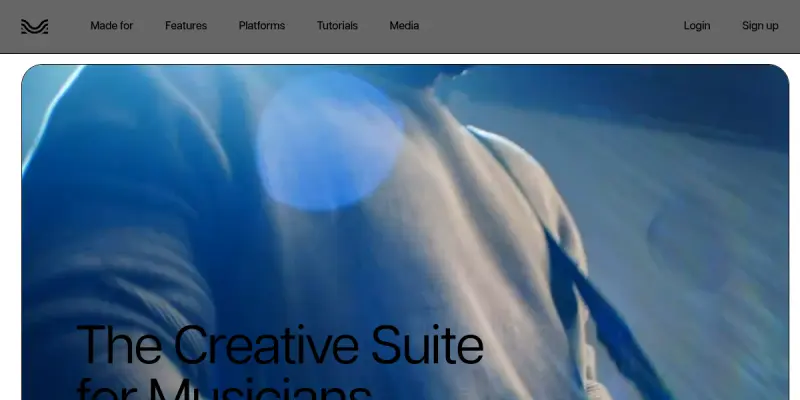
Screenshots & Interface
Pros
- ✓ Separates vocals and instruments into individual stems with high accuracy using advanced AI models.
- ✓ Provides a built-in mixer with volume, panning, and effects controls for real-time adjustments.
- ✓ Transcribes audio to text in over 100 languages, enabling easy chord tracking and learning.
- ✓ Mastering tool optimizes track loudness and EQ for professional-sounding results.
Cons
- × Relies on cloud processing, which can lead to latency issues during live mixing.
- × High-quality stem separation and advanced mastering features require a paid subscription.
- × Audio quality may degrade slightly during the separation process depending on the source track.
How to Use Moises AI in Your Workflow
Integrating Moises AI into your professional toolkit enhances efficiency by automating manual steps. By configuring it to suit your specific project requirements, you can optimize output quality and reduce project cycle times. Standard workflows involve testing the tool on simple tasks before scaling its use to complex operations.
Frequently Asked Questions
What is Moises AI used for?
Moises AI separates vocals and instruments using AI, allowing musicians to practice isolated tracks or create remixes. It offers mastering tools and multi-track editing for creators.
What is the pricing model for Moises AI?
Moises AI uses a Freemium pricing model.
What are the main advantages of Moises AI?
The key benefits of Moises AI include: Separates vocals and instruments into individual stems with high accuracy using advanced AI models., Provides a built-in mixer with volume, panning, and effects controls for real-time adjustments., Transcribes audio to text in over 100 languages, enabling easy chord tracking and learning., Mastering tool optimizes track loudness and EQ for professional-sounding results..
What are the main limitations of Moises AI?
Some limitations or cons of Moises AI are: Relies on cloud processing, which can lead to latency issues during live mixing., High-quality stem separation and advanced mastering features require a paid subscription., Audio quality may degrade slightly during the separation process depending on the source track..
Alternative AI Tools

Riffusion
Riffusion is an open-source generative AI tool that creates audio spectrograms from text prompts. It is designed for musicians and developers exploring experimental sound generation.

Coqui AI
Coqui AI is an open-source text-to-speech (TTS) platform that allows developers and content creators to generate high-quality, natural-sounding speech from text. It offers customizable voice cloning and supports multiple languages. Coqui AI stands out for its community-driven model and self-hosted deployment options.

ElevenLabs
ElevenLabs is an AI audio research and deployment company that generates realistic speech, voiceovers, and sound effects in any voice and language. It serves content creators, developers, and businesses seeking high-quality text-to-speech and voice cloning solutions. A key differentiator is its ability to produce emotionally nuanced and contextually aware speech output.
Rating Details
Based on 0 ratings
Quick Comparisons
Related Tools
More AI tools from the same workflow, industry, or category.
ClipTrend.ai
ClipTrend.ai is an AI image-to-video workspace for creators, marketers, and short-form video teams.
SongR
SongR is a text-to-song app that generates custom music tracks from a few keywords. It is designed for content creators and social media users who need quick, royalty-free songs in genres like pop, rock, hip-hop, and chant. Its key differentiator is instant generation without requiring musical expertise.
Quantum Capture
Quantum Capture generates AI-powered talking head videos from text input. It is designed for content creators and marketers who need quick, studio-quality video clips without expensive equipment. The platform specializes in creating realistic avatars with consistent lip-sync and facial expressions.
Kaltura AI
Kaltura is an enterprise video platform that combines cloud hosting with AI tools for content creation, marketing, and learning management. It helps businesses create branded video experiences for webinars, social media, and internal training.
Reviews
No reviews submitted yet. Be the first to share your experience.
Write a Review
Share Your Experience
Join the community to write reviews, submit ratings, and bookmark your favorite AI tools.