

Move AI
Use Move AI as the anchor for a real shortlist.
Instead of returning to a broad directory, jump straight into the strongest adjacent matchups for pricing, workflow fit, and differentiation.
Overview
Overview
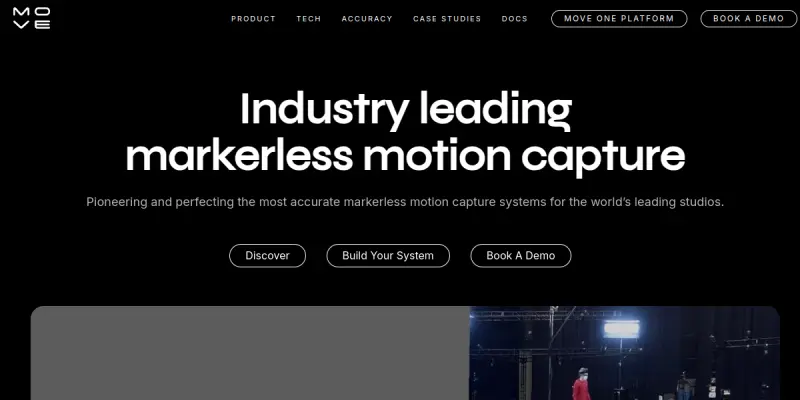
Move AI is a software solution that utilizes artificial intelligence to perform markerless motion capture. It allows users to record a person with a standard camera and instantly generate a 3D animation of that movement. This technology bridges the gap between live-action video and digital environments, eliminating the need for expensive motion capture suits and studio setups.
Key Features
- Markerless Technology: Requires only a standard camera, removing the need for specialized sensors or suits.
- Real-Time Processing: Captures and processes motion data in real-time for immediate feedback.
- High-Fidelity Output: Generates 3D meshes and animations with high accuracy suitable for professional production.
- Post-Processing Tools: Includes built-in tools to refine animations and correct for lighting issues.
- Cross-Platform Support: Compatible with various game engines and 3D software pipelines.
Use Cases
Indie Game Development
Developers can use Move AI to animate characters in their games without hiring a professional motion capture team. This significantly lowers the barrier to entry for creating realistic character movement.
Film and VFX Production
Filmmakers and visual effects artists can use the tool to perform "on-set" motion capture, allowing for easier integration of live-action footage into digital scenes.
Virtual Production
Content creators working in virtual reality or augmented reality can use the tool to track body movements for interactive experiences.
Pricing & Plans
Move AI operates on a Freemium model. Users can access basic features for free, but generating high-fidelity animations or processing longer videos typically requires a subscription or the purchase of credits.
Integrations & Compatibility
The tool is designed to integrate with popular game engines and 3D creation suites, facilitating a smooth workflow from motion capture to final render.
Who Is It For?
This tool is best suited for independent developers, animators, and production studios looking to streamline their motion capture workflows without the high overhead of traditional systems.
Limitations
- The quality of the capture is heavily dependent on the lighting conditions of the recording environment.
- Requires a standard camera and specific recording setup to ensure accuracy.
- Complex movements or acrobatics may require multiple takes or manual adjustments.
Final Verdict
Move AI offers a powerful solution for democratizing motion capture technology. By removing physical markers and expensive equipment, it empowers creators to focus on the art rather than the technical logistics of animation.
Tool Facts
Screenshots & Interface
Pros
- ✓ Transfers human motion from video into 3D character models accurately
- ✓ Eliminates the need for expensive motion capture suits and studio equipment
- ✓ Offers a streamlined workflow for independent developers and small studios
- ✓ Provides real-time feedback during the capture process
Cons
- × The quality of the capture is heavily dependent on the lighting conditions of the recording environment
- × Requires a standard camera and specific recording setup to ensure accuracy
- × Complex movements or acrobatics may require multiple takes or manual adjustments
How to Use Move AI in Your Workflow
Integrating Move AI into your professional toolkit enhances efficiency by automating manual steps. By configuring it to suit your specific project requirements, you can optimize output quality and reduce project cycle times. Standard workflows involve testing the tool on simple tasks before scaling its use to complex operations.
Frequently Asked Questions
What is Move AI used for?
AI-powered markerless motion capture from video. Speed up production, reduce costs with high-fidelity 3D animation.
What is the pricing model for Move AI?
Move AI uses a Freemium pricing model.
What are the main advantages of Move AI?
The key benefits of Move AI include: Transfers human motion from video into 3D character models accurately, Eliminates the need for expensive motion capture suits and studio equipment, Offers a streamlined workflow for independent developers and small studios, Provides real-time feedback during the capture process.
What are the main limitations of Move AI?
Some limitations or cons of Move AI are: The quality of the capture is heavily dependent on the lighting conditions of the recording environment, Requires a standard camera and specific recording setup to ensure accuracy, Complex movements or acrobatics may require multiple takes or manual adjustments.
Alternative AI Tools

Bhuman AI
Bhuman AI generates personalized video messages from text scripts. It allows businesses to create realistic AI avatars for scalable marketing and sales outreach.

UneeQ
Create lifelike AI avatars for training and customer support. UneeQ enables immersive digital human experiences to boost engagement and retention.

Reface
Reface is an advanced AI-powered tool within Video & Animation specializing in AI Video Generators, built to streamline workflow productivity.
Rating Details
Based on 0 ratings
Quick Comparisons
Related Tools
More AI tools from the same workflow, industry, or category.
ClipTrend.ai
ClipTrend.ai is an AI image-to-video workspace for creators, marketers, and short-form video teams.
SongR
SongR is a text-to-song app that generates custom music tracks from a few keywords. It is designed for content creators and social media users who need quick, royalty-free songs in genres like pop, rock, hip-hop, and chant. Its key differentiator is instant generation without requiring musical expertise.
Quantum Capture
Quantum Capture generates AI-powered talking head videos from text input. It is designed for content creators and marketers who need quick, studio-quality video clips without expensive equipment. The platform specializes in creating realistic avatars with consistent lip-sync and facial expressions.
Kaltura AI
Kaltura is an enterprise video platform that combines cloud hosting with AI tools for content creation, marketing, and learning management. It helps businesses create branded video experiences for webinars, social media, and internal training.
Reviews
No reviews submitted yet. Be the first to share your experience.
Write a Review
Share Your Experience
Join the community to write reviews, submit ratings, and bookmark your favorite AI tools.