

Placeit
Use Placeit as the anchor for a real shortlist.
Instead of returning to a broad directory, jump straight into the strongest adjacent matchups for pricing, workflow fit, and differentiation.
Overview
Overview
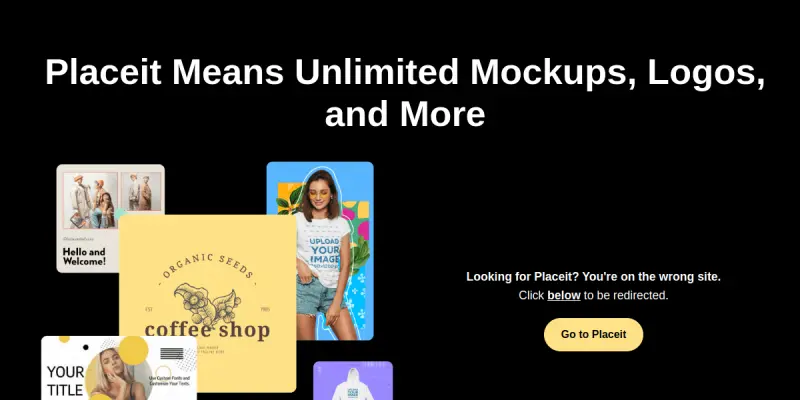
Placeit is a web-based tool designed to assist users in creating professional visual assets. It focuses on providing a library of templates that can be customized for various projects. The platform aims to reduce the time required for graphic design tasks by offering pre-made assets that users can easily modify. It operates as a SaaS solution accessible directly through a web browser.
Key Features
- Template Library: Offers a vast collection of templates for various design needs.
- Drag-and-Drop Interface: Simplifies the customization process for users of all skill levels.
- Web-Based Platform: Accessible from any device with an internet connection.
- Variety of Assets: Provides options for different categories of design work.
- Customization Tools: Allows users to adjust elements to fit specific requirements.
- Instant Preview: Users can see changes immediately as they edit.
Use Cases
E-commerce Product Photography
Businesses can use Placeit to create professional product shots by placing products onto different backgrounds and models. This helps sellers create a consistent look for their online store without the need for expensive studio equipment.
Brand Identity Creation
Brands can utilize the available templates to generate logos and marketing materials quickly. This is useful for startups and small businesses that need to establish a visual identity with limited resources.
Social Media Graphics
Content creators can find templates specifically tailored for social media posts and stories. This streamlines the process of maintaining an active and visually appealing social media presence.
Pricing & Plans
Placeit operates on a Freemium pricing model. Users can access a portion of the library and basic features without payment. To access the full range of templates and advanced customization options, a subscription is typically required. Specific plan details and pricing tiers are available on the official website.
Integrations & Compatibility
Placeit is a standalone web application. It does not require local installation and is compatible with any modern web browser. While it does not appear to have direct third-party software integrations listed, its browser-based nature makes it easy to use alongside other web-based tools.
Who Is It For?
This tool is designed for graphic designers, marketers, and business owners who need to create visual content quickly. It is particularly suitable for individuals who may not have advanced design skills but require professional-looking assets for their projects.
Limitations
- Subscription Model: Advanced features and the full template library are often locked behind a paid subscription.
- Internet Dependency: The tool requires a stable internet connection to access the library and save work.
- Web-Only: It is not available as a downloadable desktop application, which may be a limitation for users who prefer offline access.
- Customization Limits: While templates can be customized, the range of modifications may be limited compared to professional design software like Photoshop.
Final Verdict
Placeit serves as a practical solution for users seeking ready-made templates for product photography, branding, and social media. While it may lack the depth of a full professional design suite, it offers significant value for those needing quick, high-quality visuals without the complexity of advanced design tools.
Tool Facts
Screenshots & Interface
Pros
- ✓ Extensive Template Library: Provides a wide variety of visual assets for different needs.
- ✓ Drag-and-Drop Interface: Simplifies the design process for users of all skill levels.
- ✓ Streamlined Workflow: Reduces the time needed to create professional-looking visuals.
- ✓ Browser-Based Access: No installation required; works on any device with internet.
Cons
- × Subscription Required: Access to the full library and premium features typically requires a paid plan.
- × Internet Dependency: The platform requires a constant internet connection to function.
- × Limited Customization: While templates are useful, the editing tools may be less powerful than standalone software.
- × Vendor Lock-in: Users rely on the platform's library rather than owning their design assets.
How to Use Placeit in Your Workflow
Integrating Placeit into your professional toolkit enhances efficiency by automating manual steps. By configuring it to suit your specific project requirements, you can optimize output quality and reduce project cycle times. Standard workflows involve testing the tool on simple tasks before scaling its use to complex operations.
Frequently Asked Questions
What is Placeit used for?
Placeit offers a library of templates for product photography and branding. It simplifies the design process with drag-and-drop tools. Users can create visuals without specialized software.
What is the pricing model for Placeit?
Placeit uses a Freemium pricing model.
What are the main advantages of Placeit?
The key benefits of Placeit include: Extensive Template Library: Provides a wide variety of visual assets for different needs., Drag-and-Drop Interface: Simplifies the design process for users of all skill levels., Streamlined Workflow: Reduces the time needed to create professional-looking visuals., Browser-Based Access: No installation required; works on any device with internet..
What are the main limitations of Placeit?
Some limitations or cons of Placeit are: Subscription Required: Access to the full library and premium features typically requires a paid plan., Internet Dependency: The platform requires a constant internet connection to function., Limited Customization: While templates are useful, the editing tools may be less powerful than standalone software., Vendor Lock-in: Users rely on the platform's library rather than owning their design assets..
Alternative AI Tools

Mural AI
Mural AI is an AI-powered visual workspace that enhances team collaboration, planning, and execution. It helps distributed teams brainstorm, organize tasks, and manage projects using intelligent templates and real-time co-creation. Its key differentiator is the deep integration of AI to automate facilitation and synthesis of ideas.

Shutterstock AI
Shutterstock AI generates high-quality, commercial-ready images using proprietary models, integrated with a vast stock library.
Turbologo
Turbologo is an AI logo design tool for businesses and individuals. It streamlines workflow productivity with advanced AI models and an intuitive interface.
Rating Details
Based on 0 ratings
Quick Comparisons
Related Tools
More AI tools from the same workflow, industry, or category.
Createimg.ai
Createimg.ai provides text-to-image generation and photo editing tools including background removal. It is designed for e-commerce sellers and creators needing free visual assets.
JetBrains AI
JetBrains AI is an AI-powered toolset integrated into JetBrains IDEs, offering code completion, debugging assistance, and intelligent suggestions for developers. It leverages large language models to help teams write, understand, and refactor code more efficiently. A key differentiator is its seamless integration with JetBrains' existing development environment.
Stable Diffusion Inpaint
Stable Diffusion Inpaint is an AI-powered tool that uses diffusion models to intelligently fill in or replace parts of an image. It is designed for photographers, designers, and content creators who need precise and context-aware image editing. Its key differentiator is the ability to generate new content that seamlessly blends with the existing image.
Crello AI
VistaCreate (formerly Crello) is a cloud-based design tool using AI to generate graphics from text prompts. It features 100K+ templates for social media and marketing.
Reviews
No reviews submitted yet. Be the first to share your experience.
Write a Review
Share Your Experience
Join the community to write reviews, submit ratings, and bookmark your favorite AI tools.