

Rev
Use Rev as the anchor for a real shortlist.
Instead of returning to a broad directory, jump straight into the strongest adjacent matchups for pricing, workflow fit, and differentiation.
Overview
Overview
Rev AI is a speech-to-text API designed for developers and businesses requiring high-accuracy transcription at scale. Built by the team behind Rev, a well-known transcription services company, Rev AI focuses on providing programmatic access to speech recognition capabilities. It supports multiple languages and is optimized for real-time and batch processing, making it suitable for applications in media, customer service, and more.
Key Features
- High Accuracy: Rev AI leverages advanced machine learning models to deliver industry-leading transcription accuracy, even with challenging audio such as accents or background noise.
- Fast Processing: The API is designed for low-latency, real-time transcription as well as efficient batch processing for large volumes of audio.
- Developer-First API: Clean RESTful API with comprehensive documentation, SDKs in popular programming languages, and easy integration into existing workflows.
- Global Scale: Infrastructure supports high concurrency and can handle millions of audio hours per month, making it suitable for enterprise applications.
- Multi-Language Support: Supports transcription in dozens of languages, including English, Spanish, French, German, Japanese, and more.
- Customizable Models: Users can train custom language models for specialized vocabulary, such as medical terms or product names, to improve accuracy.
- Security & Compliance: Offers encryption in transit and at rest, SOC 2 compliance, and data deletion options to meet enterprise and regulatory requirements.
- Streaming & Batch Modes: Supports both streaming (real-time) and batch (asynchronous) transcription to accommodate use cases from live captioning to post-production analysis.
Use Cases
Media & Entertainment
Media companies use Rev AI to automatically generate captions and subtitles for video content, enabling accessibility and searchability. The API integrates with video editing software and workflow automation tools.
Customer Service & Call Centers
Businesses transcribe customer calls for quality assurance, sentiment analysis, and compliance monitoring. Rev AI’s high accuracy helps capture nuances in conversations.
Healthcare
Healthcare providers use Rev AI to transcribe patient encounters, reduce administrative burden, and maintain accurate medical records. Custom models can handle medical terminology.
Education & E-Learning
Educational platforms leverage Rev AI to provide real-time captions for lectures and meetings, and to index recorded content for search and discovery.
Legal & Compliance
Legal firms transcribe depositions, court proceedings, and client meetings with high accuracy, ensuring reliable records for case preparation.
Pricing & Plans
Rev AI offers a free tier with a limited number of processing hours per month (typically 1 hour). Paid plans start at $0.25 per hour for standard accuracy and $0.50 per hour for high accuracy. Enterprise plans with custom pricing are available for organizations needing higher throughput, dedicated infrastructure, and premium support. For the most current pricing, users should visit the Rev AI website.
Integrations & Compatibility
Rev AI provides REST APIs, WebSocket for streaming, and SDKs for Python, Node.js, Java, Go, and more. It integrates with popular platforms like Zapier, AWS Lambda, and Google Cloud. The API supports common audio formats including MP3, WAV, FLAC, and M4A.
Who Is It For?
Rev AI is designed for developers, product teams, and enterprise organizations that need to add speech-to-text capabilities to their applications at scale. It is particularly well-suited for use cases in media, call centers, healthcare, education, and legal.
Limitations
- Internet Dependency: The API requires a stable internet connection for all operations, which can be a constraint in offline or low-connectivity environments.
- Non-Real-Time Limitations: While real-time streaming is supported, very low-latency use cases (e.g., live broadcasting with sub-100ms delay) may require careful tuning and edge deployment.
- Custom Model Training Cost: Training custom language models may incur additional costs and requires technical expertise.
- Dependency on Audio Quality: Accuracy can degrade significantly with poor audio quality, heavy background noise, or overlapping speakers.
Final Verdict
Rev AI is a robust and scalable speech-to-text API that stands out for its high accuracy, developer-friendly design, and global infrastructure. It is ideal for organizations that need reliable transcription at scale, especially those already within the Rev ecosystem. However, teams with very specific latency requirements or limited budgets may need to evaluate alternatives. Overall, Rev AI is a strong choice for enterprise-grade speech recognition.
Tool Facts
Screenshots & Interface
Pros
- ✓ Developer-first API with comprehensive documentation and SDKs for quick integration.
- ✓ High transcription accuracy, even with challenging audio such as accents or background noise.
- ✓ Supports both real-time streaming and batch processing for flexible use cases.
- ✓ Global infrastructure handles millions of audio hours per month, enabling enterprise-scale deployments.
- ✓ Multi-language support covering dozens of languages for international applications.
Cons
- × Requires a stable internet connection for all API operations, limiting offline use.
- × High-accuracy mode doubles the cost per hour compared to standard accuracy.
- × Custom language model training adds complexity and may increase costs for specialized vocabulary.
- × Accuracy can degrade with poor audio quality, background noise, or overlapping speakers.
- × No built-in web interface for manual review or editing of transcripts (API-only).
How to Use Rev in Your Workflow
Integrating Rev into your professional toolkit enhances efficiency by automating manual steps. By configuring it to suit your specific project requirements, you can optimize output quality and reduce project cycle times. Standard workflows involve testing the tool on simple tasks before scaling its use to complex operations.
Frequently Asked Questions
What is Rev used for?
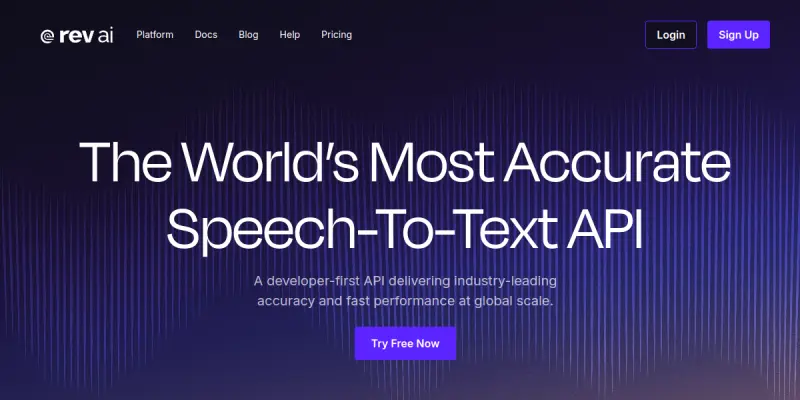
Rev AI provides a developer-first API for converting speech to text with high accuracy and fast processing. It is designed for businesses and developers who need scalable transcription solutions. Key differentiators include global-scale performance and support for multiple languages.
What is the pricing model for Rev?
Rev uses a Paid pricing model.
What are the main advantages of Rev?
The key benefits of Rev include: Developer-first API with comprehensive documentation and SDKs for quick integration., High transcription accuracy, even with challenging audio such as accents or background noise., Supports both real-time streaming and batch processing for flexible use cases., Global infrastructure handles millions of audio hours per month, enabling enterprise-scale deployments., Multi-language support covering dozens of languages for international applications..
What are the main limitations of Rev?
Some limitations or cons of Rev are: Requires a stable internet connection for all API operations, limiting offline use., High-accuracy mode doubles the cost per hour compared to standard accuracy., Custom language model training adds complexity and may increase costs for specialized vocabulary., Accuracy can degrade with poor audio quality, background noise, or overlapping speakers., No built-in web interface for manual review or editing of transcripts (API-only)..
Alternative AI Tools

Krisp
Krisp is an AI-powered noise cancellation tool that removes background noise during calls and meetings. It includes features like an AI note-taker and accent identification to improve communication clarity. The software supports video conferencing platforms like Zoom and Microsoft Teams.

TranscribeMe
TranscribeMe provides human-verified transcription and data annotation services. It combines skilled human transcribers with AI to ensure high accuracy for media and business applications.
Soundraw
Soundraw generates original, royalty-free music using AI. It allows content creators to customize tracks by adjusting tempo, genre, and mood. The tool is designed for video producers, podcasters, and musicians seeking unique background music without licensing concerns.
Rating Details
Based on 0 ratings
Quick Comparisons
Related Tools
More AI tools from the same workflow, industry, or category.
ClipTrend.ai
ClipTrend.ai is an AI image-to-video workspace for creators, marketers, and short-form video teams.
SongR
SongR is a text-to-song app that generates custom music tracks from a few keywords. It is designed for content creators and social media users who need quick, royalty-free songs in genres like pop, rock, hip-hop, and chant. Its key differentiator is instant generation without requiring musical expertise.
Quantum Capture
Quantum Capture generates AI-powered talking head videos from text input. It is designed for content creators and marketers who need quick, studio-quality video clips without expensive equipment. The platform specializes in creating realistic avatars with consistent lip-sync and facial expressions.
Kaltura AI
Kaltura is an enterprise video platform that combines cloud hosting with AI tools for content creation, marketing, and learning management. It helps businesses create branded video experiences for webinars, social media, and internal training.
Reviews
No reviews submitted yet. Be the first to share your experience.
Write a Review
Share Your Experience
Join the community to write reviews, submit ratings, and bookmark your favorite AI tools.