

Simon Says AI
Use Simon Says AI as the anchor for a real shortlist.
Instead of returning to a broad directory, jump straight into the strongest adjacent matchups for pricing, workflow fit, and differentiation.
Overview
Overview
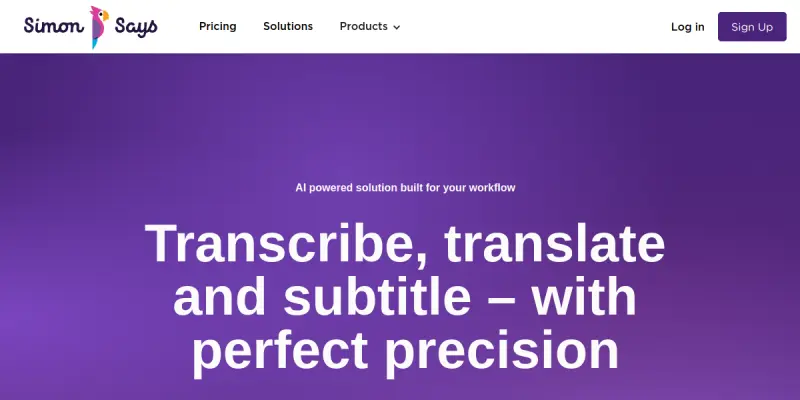
Simon Says AI automates the creation of captions, subtitles, and transcripts for video and audio content. It leverages advanced speech recognition to convert spoken words into text with high accuracy, saving creators hours of manual work.
Key Features
- Auto-Sync Subtitles: Automatically syncs captions to the video timeline.
- Multi-Language Support: Transcribes and translates content into over 100 languages.
- Speaker Diarization: Identifies and separates different speakers in conversations.
- Industry Integrations: Directly integrates with Premiere Pro, Final Cut Pro, DaVinci Resolve, and Avid.
- Timeline Editing: Edit text directly on the video timeline within the software.
Use Cases
Social Media Content
Rapidly captioning YouTube videos and Instagram Reels to increase engagement and accessibility.
Corporate Video Production
Generating accurate transcripts for training videos and internal meetings.
Podcast Accessibility
Creating captions and transcripts to make audio content accessible to a wider audience.
Pricing & Plans
Simon Says AI offers a free tier for users to test the platform, with paid plans available for higher volume and advanced features.
Integrations & Compatibility
Works natively with Adobe Premiere Pro, Final Cut Pro, Avid Media Composer, and DaVinci Resolve.
Who Is It For?
Video editors, content creators, YouTubers, and podcasters who need to quickly add captions to their media.
Limitations
Performance may degrade with heavy background noise or muffled audio; advanced styling options for subtitles are somewhat limited compared to dedicated subtitle software.
Final Verdict
Simon Says AI is an efficient solution for anyone needing to automate the captioning and transcription process, particularly for those already using NLEs (Non-Linear Editors) like Premiere or Final Cut.
Tool Facts
Screenshots & Interface
Pros
- ✓ High-accuracy transcription with speaker separation capabilities.
- ✓ Auto-syncs subtitles directly to video timelines in NLEs.
- ✓ Supports over 100 languages for global content creation.
- ✓ Seamless integration with Premiere Pro, Final Cut Pro, and DaVinci Resolve.
Cons
- × Accuracy can drop with heavy background noise or muffled audio.
- × Limited customization options for advanced subtitle styling.
- × Free tier has processing limits and watermarking options.
How to Use Simon Says AI in Your Workflow
Integrating Simon Says AI into your professional toolkit enhances efficiency by automating manual steps. By configuring it to suit your specific project requirements, you can optimize output quality and reduce project cycle times. Standard workflows involve testing the tool on simple tasks before scaling its use to complex operations.
Frequently Asked Questions
What is Simon Says AI used for?
Simon Says AI provides accurate transcription, captioning, and translation for audio and video content. Designed for video editors, it auto-syncs subtitles with industry-standard editing software like Premiere Pro and DaVinci Resolve.
What is the pricing model for Simon Says AI?
Simon Says AI uses a Free pricing model.
What are the main advantages of Simon Says AI?
The key benefits of Simon Says AI include: High-accuracy transcription with speaker separation capabilities., Auto-syncs subtitles directly to video timelines in NLEs., Supports over 100 languages for global content creation., Seamless integration with Premiere Pro, Final Cut Pro, and DaVinci Resolve..
What are the main limitations of Simon Says AI?
Some limitations or cons of Simon Says AI are: Accuracy can drop with heavy background noise or muffled audio., Limited customization options for advanced subtitle styling., Free tier has processing limits and watermarking options..
Alternative AI Tools

Movebot AI
Movebot is a cloud-native data migration tool that automates file transfers across over 100 platforms, including cloud storage and FTP servers.

Screencastify AI
Browser-based screen recorder for creating lessons and training videos. Includes free recording tools and simple editing for educators and professionals.

UneeQ
Create lifelike AI avatars for training and customer support. UneeQ enables immersive digital human experiences to boost engagement and retention.
Rating Details
Based on 0 ratings
Related Tools
More AI tools from the same workflow, industry, or category.
ClipTrend.ai
ClipTrend.ai is an AI image-to-video workspace for creators, marketers, and short-form video teams.
SongR
SongR is a text-to-song app that generates custom music tracks from a few keywords. It is designed for content creators and social media users who need quick, royalty-free songs in genres like pop, rock, hip-hop, and chant. Its key differentiator is instant generation without requiring musical expertise.
Quantum Capture
Quantum Capture generates AI-powered talking head videos from text input. It is designed for content creators and marketers who need quick, studio-quality video clips without expensive equipment. The platform specializes in creating realistic avatars with consistent lip-sync and facial expressions.
Kaltura AI
Kaltura is an enterprise video platform that combines cloud hosting with AI tools for content creation, marketing, and learning management. It helps businesses create branded video experiences for webinars, social media, and internal training.
Reviews
No reviews submitted yet. Be the first to share your experience.
Write a Review
Share Your Experience
Join the community to write reviews, submit ratings, and bookmark your favorite AI tools.