

Trifacta
Use Trifacta as the anchor for a real shortlist.
Instead of returning to a broad directory, jump straight into the strongest adjacent matchups for pricing, workflow fit, and differentiation.
Overview
Overview
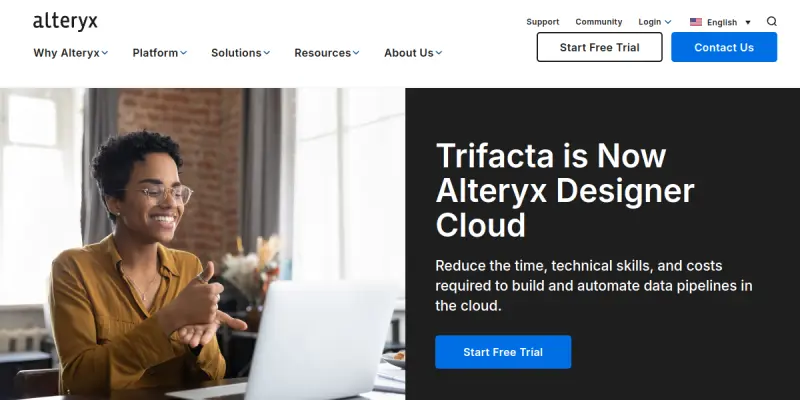
Trifacta, now part of Alteryx Designer Cloud, is a data preparation and wrangling platform designed to help users explore, clean, and transform data into analysis-ready formats. By democratizing data wrangling, it allows users to prepare complex datasets without writing code. The platform leverages machine learning to understand data patterns and automatically suggest the most appropriate transformations, significantly reducing the time spent on manual data cleaning.
Key Features
- Visual Data Wrangling: Uses a drag-and-drop interface to map data flows and apply transformations visually.
- Machine Learning Suggestions: The platform analyzes data patterns to recommend relevant cleaning and transformation steps automatically.
- Data Profiling: Automatically identifies data quality issues, such as missing values, duplicates, or outliers.
- Collaboration: Allows teams to share workflows and collaborate on data preparation projects seamlessly.
- Integration: Seamlessly integrates with other Alteryx products, Alteryx Server, and major cloud storage providers.
- Data Governance: Includes features to manage data lineage and ensure compliance during the preparation process.
- Hybrid Deployment: Supports both cloud-based and on-premise deployment options for enterprise security.
- Extensibility: Allows for custom scripting and extension of workflows using Python or R.
Use Cases
Data Preparation for Business Intelligence
Business analysts use Trifacta to ingest raw data from multiple sources, such as CSV files and databases, and standardize it for dashboard creation. The visual interface enables them to handle varying data formats and merge datasets effortlessly.
ETL Processes and Data Pipelines
Data engineers utilize the tool to build automated data pipelines. By visualizing the ETL (Extract, Transform, Load) process, they can identify bottlenecks and optimize data flow between systems.
Non-Technical Data Exploration
Business users with no coding background can explore data trends and perform basic cleaning tasks. The AI-driven suggestions lower the barrier to entry, allowing non-technical staff to prepare data for ad-hoc analysis.
Machine Learning Data Preparation
Data scientists use Trifacta to prepare high-quality training datasets for machine learning models. The tool ensures that the input data is clean, consistent, and structured correctly for algorithm training.
Pricing & Plans
Trifacta operates on a Freemium model, allowing users to start with basic features for free. For more advanced features, dedicated team plans and enterprise solutions are available. Pricing is typically tiered based on the number of users and the specific features required, such as advanced governance or dedicated support.
Integrations & Compatibility
The platform integrates deeply with the Alteryx ecosystem, including Alteryx Connect and Alteryx Server. It also supports connections to major data warehouses like Snowflake, Redshift, and BigQuery, as well as common file storage systems like AWS S3 and Azure Blob Storage.
Who Is It For?
Trifacta is designed for data analysts, data scientists, and business intelligence professionals who deal with large, unstructured datasets. It is also useful for IT teams looking to empower business users with self-service data preparation capabilities.
Limitations
- Learning Curve: The interface and terminology can be complex for complete beginners, requiring a period of training.
- Input Dependency: The effectiveness of the machine learning suggestions relies on the quality and structure of the initial input data.
- Cost: While there is a free tier, the most powerful features are often locked behind expensive enterprise contracts.
- Resource Usage: Processing very large datasets can be resource-intensive depending on the deployment method.
Final Verdict
Trifacta (Alteryx Designer Cloud) is a robust solution for visual data preparation that significantly accelerates the workflow of data professionals. While it requires an investment in learning the platform, its ability to automate repetitive cleaning tasks and its visual approach make it a superior choice for teams looking to streamline their data pipeline. It effectively bridges the gap between manual spreadsheet work and complex coding.
Tool Facts
Screenshots & Interface
Pros
- ✓ Visual 'Wrangling' Interface: Uses a drag-and-drop interface to map data flows and apply transformations without code.
- ✓ Machine Learning Suggestions: Automatically recommends data cleaning and transformation steps based on pattern recognition.
- ✓ Data Profiling: Identifies data quality issues like missing values, duplicates, and outliers automatically.
- ✓ Collaboration Features: Allows teams to share and collaborate on data preparation workflows in real-time.
Cons
- × Steep Learning Curve: Mastering advanced features and understanding data lineage requires significant training and practice.
- × Input Data Dependency: The effectiveness of its AI suggestions relies heavily on the initial quality and structure of the raw data.
- × Enterprise Pricing: While a free tier exists, the most advanced governance and collaboration features are expensive.
- × No Native Code Execution: It does not support running complex scripts directly within the visual interface.
How to Use Trifacta in Your Workflow
Integrating Trifacta into your professional toolkit enhances efficiency by automating manual steps. By configuring it to suit your specific project requirements, you can optimize output quality and reduce project cycle times. Standard workflows involve testing the tool on simple tasks before scaling its use to complex operations.
Frequently Asked Questions
What is Trifacta used for?
Trifacta (now Alteryx Designer Cloud) is a visual data preparation platform that cleans and transforms datasets for analysis. It targets data analysts who need to prepare data without writing code. The tool uses machine learning to suggest data transformations automatically.
What is the pricing model for Trifacta?
Trifacta uses a Freemium pricing model.
What are the main advantages of Trifacta?
The key benefits of Trifacta include: Visual 'Wrangling' Interface: Uses a drag-and-drop interface to map data flows and apply transformations without code., Machine Learning Suggestions: Automatically recommends data cleaning and transformation steps based on pattern recognition., Data Profiling: Identifies data quality issues like missing values, duplicates, and outliers automatically., Collaboration Features: Allows teams to share and collaborate on data preparation workflows in real-time..
What are the main limitations of Trifacta?
Some limitations or cons of Trifacta are: Steep Learning Curve: Mastering advanced features and understanding data lineage requires significant training and practice., Input Data Dependency: The effectiveness of its AI suggestions relies heavily on the initial quality and structure of the raw data., Enterprise Pricing: While a free tier exists, the most advanced governance and collaboration features are expensive., No Native Code Execution: It does not support running complex scripts directly within the visual interface..
Alternative AI Tools

DataPrep AI
DataPrep AI is a low-code Python library for exploratory data analysis and data cleaning. It helps data scientists and analysts quickly profile, clean, and visualize datasets directly within Jupyter notebooks. Its main differentiator is the automatic generation of visual insights with minimal coding.

Ataccama AI
Unified data intelligence platform combining data quality, catalog, and observability with a built-in AI Agent to streamline your data stack and ensure trusted insights.
Charticulator AI
Charticulator AI is a SaaS platform that transforms complex datasets into interactive, custom visualizations. It uses AI to help analysts, data scientists, and business users discover trends and patterns without manual chart building. Its key differentiator is drag-and-drop generation of bespoke charts directly from raw data.
Rating Details
Based on 0 ratings
Quick Comparisons
Related Tools
More AI tools from the same workflow, industry, or category.
NewsData.io
NewsData.io delivers structured global news data via a real-time API. It supports 100,000+ sources across 200+ countries with filtering by keyword and date. This tool helps developers integrate news intelligence into applications and dashboards.
Wisegrid
Wisegrid is a work management platform that combines spreadsheet functionality with application features like dashboards and automations. It allows teams to manage projects and data using rows and columns, including AI-driven formulas, with a flat pricing model.
TradeBB
TradeBB is a All-in-One Trading Journal and analysis tool that helps traders seamlessly record each transaction, deeply analyze trading data, and review trading processes.
Pinecone
Pinecone is a fully managed vector database for AI applications, enabling fast similarity search and retrieval-augmented generation (RAG). It targets developers and data scientists who need scalable vector storage without managing infrastructure.
Reviews
No reviews submitted yet. Be the first to share your experience.
Write a Review
Share Your Experience
Join the community to write reviews, submit ratings, and bookmark your favorite AI tools.