

Vectr AI
Use Vectr AI as the anchor for a real shortlist.
Instead of returning to a broad directory, jump straight into the strongest adjacent matchups for pricing, workflow fit, and differentiation.
Overview
Overview
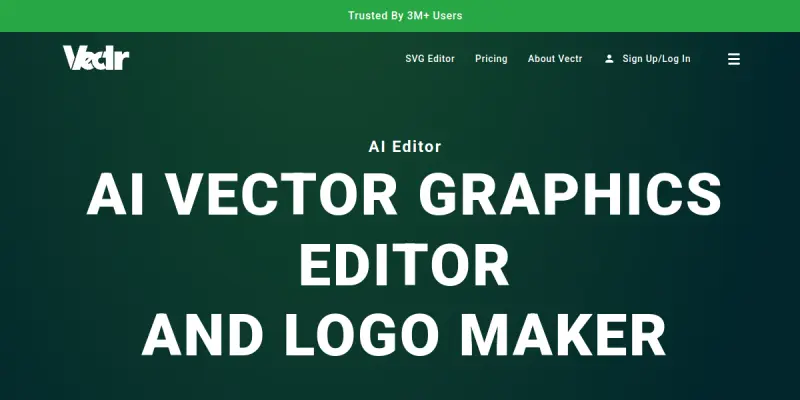
Vectr is a cloud-based vector graphics editor designed to make professional design accessible to everyone, from beginners to experienced designers. By combining traditional vector editing tools with advanced AI capabilities, Vectr streamlines the process of creating logos, illustrations, and diagrams. The platform eliminates the need for complex software installations, allowing users to work directly from their web browser in real-time. Its interface is optimized for intuitive navigation, ensuring that users can focus on creativity rather than technical hurdles. Whether for personal projects or business needs, Vectr offers a flexible environment for vector manipulation.
Key Features
- Real-time Collaboration: Work with team members simultaneously on the same project from different locations.
- Cloud-Based Storage: Automatically saves your work to the cloud, ensuring no data loss and easy access from any device.
- Vector Path Editing: Utilize precision tools to manipulate paths, shapes, and nodes with granular control.
- Shape Library: Access a vast collection of pre-made shapes and icons to speed up the design process.
- AI Background Removal: Automatically remove backgrounds from images to use as assets in vector designs.
- SVG Export: Seamlessly export designs to SVG, PNG, or JPG formats for web or print use.
- Auto-Smoothing Tool: Automatically smooths jagged lines and paths to create cleaner vector graphics.
- Drag-and-Drop Interface: A user-friendly interface that simplifies the process of adding elements to the canvas.
Use Cases
Creating Logos
Vectr is an ideal tool for entrepreneurs and small businesses looking to design their own branding. The AI-powered logo maker assists in generating vector-based logos that scale perfectly at any size, from business cards to billboards. Users can combine shapes, text, and images to create a unique identity that represents their brand effectively without needing a professional designer.
Designing Icons and Illustrations
Graphic designers and illustrators can use Vectr to create crisp, scalable icons and illustrations. The precision of vector editing ensures that every detail remains sharp regardless of the output size. The tool’s ability to manipulate paths allows for the creation of complex illustrations that maintain high quality across various media channels.
Educational Projects
Educators and students can utilize Vectr for learning vector graphics concepts. The browser-based nature of the tool removes the barrier of software installation, making it easy for students to access design tools on school or home computers. It serves as a practical platform for teaching the fundamentals of design, composition, and vector mathematics.
Marketing Materials
Marketing teams can quickly create vector-based graphics for brochures, social media posts, and website banners. The integration of AI tools, such as background removal, allows marketers to repurpose images efficiently. The ability to export to multiple formats ensures that the final assets are compatible with various marketing platforms and print specifications.
UI/UX Wireframing
While primarily a graphic design tool, Vectr can be used for simple UI/UX wireframing. Its vector precision allows designers to sketch out interface layouts and user flows with clarity. This makes it a lightweight alternative to heavy prototyping software when quick, scalable sketches are needed.
Pricing & Plans
Vectr operates on a freemium model. It offers a robust free tier that provides access to core vector editing tools, allowing users to create and export projects without cost. For users who require advanced features, such as cloud storage upgrades or priority support, a paid subscription is available. The pricing structure is designed to be accessible for hobbyists while offering enterprise-grade features for professional teams through its paid plans.
Integrations & Compatibility
Vectr is a web-native application, meaning it requires no local installation and is compatible with all modern web browsers. It supports direct export to standard web formats like SVG, PNG, and JPG. While the current focus is on browser-based operation, the export capabilities ensure compatibility with major design software and content management systems that utilize these standard file types.
Who Is It For?
Vectr is tailored for graphic designers, marketers, entrepreneurs, and students. It is particularly suited for individuals who need a lightweight, easy-to-use tool for vector design without the overhead of purchasing expensive desktop software. It serves as an excellent entry point for beginners learning the ropes of vector graphics and a convenient solution for quick design tasks for professionals.
Limitations
- Browser Dependency: The tool relies entirely on a web browser and a stable internet connection, which can limit performance on slower networks or offline work.
- Advanced Tool Limitations: Compared to desktop software like Adobe Illustrator, Vectr may lack some advanced features and customization options found in professional-grade tools.
- Export Resolution: While vector export is supported, the free tier may have restrictions on the highest resolution exports available without a paid upgrade.
Final Verdict
Vectr AI successfully bridges the gap between complex vector design software and user-friendly web tools. Its focus on AI-assisted features like background removal and its intuitive interface make it a strong contender for anyone looking to create vector graphics quickly. While it may not replace professional vector suites for high-end commercial work, it excels as a versatile tool for logo design, illustration, and general graphic editing.
Tool Facts
Screenshots & Interface
Pros
- ✓ Browser-based platform requires no installation or downloads
- ✓ Real-time collaboration allows multiple users to edit simultaneously
- ✓ Integrated AI background removal speeds up asset preparation
- ✓ Supports export to multiple standard vector and raster formats
- ✓ Cross-platform compatibility via any modern web browser
Cons
- × Browser-based performance can lag when handling very large, complex files
- × Limited advanced vector manipulation tools compared to desktop software
- × AI features may offer limited customization options for specific design needs
How to Use Vectr AI in Your Workflow
Integrating Vectr AI into your professional toolkit enhances efficiency by automating manual steps. By configuring it to suit your specific project requirements, you can optimize output quality and reduce project cycle times. Standard workflows involve testing the tool on simple tasks before scaling its use to complex operations.
Frequently Asked Questions
What is Vectr AI used for?
Vectr is a web-based vector graphics editor that simplifies logo creation and design with integrated AI tools like background removal and SVG conversion.
What is the pricing model for Vectr AI?
Vectr AI uses a Paid pricing model.
What are the main advantages of Vectr AI?
The key benefits of Vectr AI include: Browser-based platform requires no installation or downloads, Real-time collaboration allows multiple users to edit simultaneously, Integrated AI background removal speeds up asset preparation, Supports export to multiple standard vector and raster formats, Cross-platform compatibility via any modern web browser.
What are the main limitations of Vectr AI?
Some limitations or cons of Vectr AI are: Browser-based performance can lag when handling very large, complex files, Limited advanced vector manipulation tools compared to desktop software, AI features may offer limited customization options for specific design needs.
Alternative AI Tools
Uizard
Uizard is an AI-powered UI design tool that enables rapid prototyping for apps, websites, and desktop software. It is designed for non-designers and professionals alike, offering a drag-and-drop interface and AI features like generating designs from text prompts.

Logaster
Logaster is an AI-powered logo design tool that creates professional brand assets for small businesses. It offers a library of templates and an easy-to-use editor to generate logos, business cards, and social media graphics quickly.
Visme AI
Visme AI is an online graphic design tool that enables users to create presentations, infographics, and other visual content using AI-powered features. It targets marketers, educators, and business professionals seeking to streamline their design workflow. A key differentiator is its all-in-one platform combining design, data visualization, and collaboration tools.
Rating Details
Based on 0 ratings
Quick Comparisons
Related Tools
More AI tools from the same workflow, industry, or category.
Createimg.ai
Createimg.ai provides text-to-image generation and photo editing tools including background removal. It is designed for e-commerce sellers and creators needing free visual assets.
JetBrains AI
JetBrains AI is an AI-powered toolset integrated into JetBrains IDEs, offering code completion, debugging assistance, and intelligent suggestions for developers. It leverages large language models to help teams write, understand, and refactor code more efficiently. A key differentiator is its seamless integration with JetBrains' existing development environment.
Stable Diffusion Inpaint
Stable Diffusion Inpaint is an AI-powered tool that uses diffusion models to intelligently fill in or replace parts of an image. It is designed for photographers, designers, and content creators who need precise and context-aware image editing. Its key differentiator is the ability to generate new content that seamlessly blends with the existing image.
Crello AI
VistaCreate (formerly Crello) is a cloud-based design tool using AI to generate graphics from text prompts. It features 100K+ templates for social media and marketing.
Reviews
No reviews submitted yet. Be the first to share your experience.
Write a Review
Share Your Experience
Join the community to write reviews, submit ratings, and bookmark your favorite AI tools.