

Wave.video
Use Wave.video as the anchor for a real shortlist.
Instead of returning to a broad directory, jump straight into the strongest adjacent matchups for pricing, workflow fit, and differentiation.
Overview
Overview
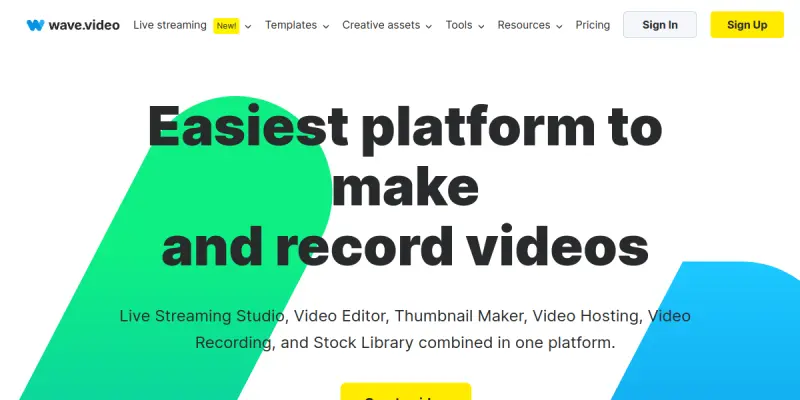
Wave.video is an all-in-one online video platform that combines video editing, screen recording, live streaming, and video hosting in a single, browser-based interface. Originally launched as a video editing tool, it has expanded into a comprehensive solution for content creators, marketers, and businesses who need to produce, distribute, and manage video content without juggling multiple applications.
Key Features
- Video Editor: A drag-and-drop timeline editor with support for trimming, cutting, merging, adding text, overlays, transitions, and effects. Includes a library of stock videos, images, and music.
- Screen & Camera Recorder: Built-in recorder to capture screen, webcam, or both simultaneously, ideal for tutorials, demos, and presentations.
- Live Streaming: Multi-stream to platforms like YouTube, Facebook, Twitch, LinkedIn, and custom RTMP destinations directly from the platform. Supports guest interviews and real-time chat.
- Video Hosting: Host videos on Wave.video with custom branding, analytics, and embeddable players. No third-party hosting required.
- Template Library: Hundreds of customizable templates for social media, ads, intro/outro, and more, optimized for various aspect ratios and platforms.
- Brand Kit: Save brand colors, fonts, logos, and watermark presets for consistent video output across teams.
- AI-Powered Tools: AI-assisted video creation including text-to-video, auto-captioning, and background removal. May include AI script generation depending on plan.
- Team Collaboration: Invite team members to co-edit, comment, and review projects with role-based permissions.
- Analytics: Track video views, engagement, and audience retention for hosted and live videos.
- Integrations: Connect with popular marketing and social media tools for streamlined publishing.
Use Cases
Social Media Content Creation
Marketers and social media managers use Wave.video to repurpose long-form content into short, engaging clips for Instagram, TikTok, YouTube Shorts, and Facebook. The template library and resizing tools make it easy to adapt one video for multiple platforms.
Live Streaming for Webinars & Events
Businesses and educators host live webinars, Q&A sessions, and virtual events with multi-stream capabilities. The platform’s guest invite feature and real-time chat enable interactive sessions without additional streaming software.
Internal Training & Onboarding
Teams record screen tutorials, policy walkthroughs, and onboarding videos using the screen and camera recorder. Hosted videos can be shared privately with analytics to track viewing completion.
Video Sales & Marketing Campaigns
Sales teams create personalized video messages, product demos, and promotional videos. The brand kit ensures all videos align with company guidelines, while analytics provide insight into viewer engagement.
Content Repurposing for Blog & Podcast
Content creators repurpose blog posts or podcast episodes into video summaries or social snippets using the AI text-to-video feature. Auto-captioning improves accessibility and engagement on muted autoplay.
Pricing & Plans
Wave.video operates on a freemium model. The Free plan includes basic editing, limited exports (watermarked, up to 720p), and 30-minute live streaming. Paid plans (Creator, Pro, Business) unlock higher resolutions, more exports, advanced features like AI tools, custom branding, and unlimited live streaming. Specific pricing is available on the website. An Enterprise plan is available for custom needs with dedicated support and API access.
Integrations & Compatibility
Wave.video integrates with YouTube, Facebook, LinkedIn, Twitch, Vimeo, and custom RTMP destinations. It also connects with Zapier, HubSpot, Mailchimp, and many other marketing tools for workflow automation. The platform is web-based, compatible with all modern browsers on desktop, and offers mobile apps for on-the-go recording and editing.
Who Is It For?
Wave.video is built for content creators, social media managers, marketers, small business owners, educators, and remote teams who need an all-in-one video solution. It suits both beginners and experienced video editors who prefer a browser-based workflow over desktop software.
Limitations
- The Free plan exports videos with a watermark and limited resolution, which may not be suitable for professional use.
- Advanced AI features like text-to-video require a paid plan.
- Live streaming is limited to 30 minutes on the Free plan; longer streams need a subscription.
- Some users report that the AI editing tools can be inconsistent and still require manual fine-tuning.
Final Verdict
Wave.video is a versatile platform that effectively consolidates multiple video tasks into one tool. Its strengths lie in live streaming, hosting, and ease of use for non-technical users. While it may not replace high-end desktop editing suites for complex projects, it offers excellent value for teams and individuals looking to streamline their video workflow. The freemium entry point makes it accessible, but advanced features come at a cost.
Tool Facts
Screenshots & Interface
Pros
- ✓ Combines video editing, recording, live streaming, and hosting in a single platform, eliminating the need for multiple tools.
- ✓ Offers a generous free plan that allows basic video creation and short live streams without a credit card.
- ✓ Includes a large library of customizable templates and stock assets suitable for social media and marketing.
- ✓ Supports multi-streaming to several platforms simultaneously, expanding audience reach.
- ✓ Provides built-in analytics for hosted and live videos to measure engagement.
Cons
- × The free plan exports videos with a watermark and caps resolution at 720p.
- × Live streaming is limited to 30 minutes per session on the free plan.
- × Advanced AI features like text-to-video are only available on paid plans.
- × The desktop browser interface can be resource-intensive on older computers.
How to Use Wave.video in Your Workflow
Integrating Wave.video into your professional toolkit enhances efficiency by automating manual steps. By configuring it to suit your specific project requirements, you can optimize output quality and reduce project cycle times. Standard workflows involve testing the tool on simple tasks before scaling its use to complex operations.
Frequently Asked Questions
What is Wave.video used for?
Wave.video is an online video platform that lets users edit, record, multi-stream, and host videos. It is designed for content creators, marketers, and businesses seeking a unified video solution. A key differentiator is its built-in live streaming and hosting capabilities alongside a full editing suite.
What is the pricing model for Wave.video?
Wave.video uses a Freemium pricing model.
What are the main advantages of Wave.video?
The key benefits of Wave.video include: Combines video editing, recording, live streaming, and hosting in a single platform, eliminating the need for multiple tools., Offers a generous free plan that allows basic video creation and short live streams without a credit card., Includes a large library of customizable templates and stock assets suitable for social media and marketing., Supports multi-streaming to several platforms simultaneously, expanding audience reach., Provides built-in analytics for hosted and live videos to measure engagement..
What are the main limitations of Wave.video?
Some limitations or cons of Wave.video are: The free plan exports videos with a watermark and caps resolution at 720p., Live streaming is limited to 30 minutes per session on the free plan., Advanced AI features like text-to-video are only available on paid plans., The desktop browser interface can be resource-intensive on older computers..
Alternative AI Tools
SEOwind
SEOwind is an AI-powered white-label content platform designed for marketing agencies. It automates the creation of SEO-optimized articles that can be published under the agency's own brand. The tool focuses on scaling content production while maintaining editorial quality and search engine performance.

ActiveCampaign AI
ActiveCampaign AI uses autonomous agents to manage marketing workflows across email, SMS, and WhatsApp. It analyzes customer data to personalize communication at scale.

Veed.io
Browser-based AI video editor that streamlines editing, auto-captioning, and voiceovers. Designed for marketers to create professional video content quickly.
Rating Details
Based on 0 ratings
Quick Comparisons
Related Tools
More AI tools from the same workflow, industry, or category.
fablepilot
FablePilot is a free AI story generator that turns a single prompt into a complete story — no sign-up required. Add illustrations or generate a plot outline.
Ghosts.app
Ghosts is an AI ghostwriter for agencies, creators, and law firms. It produces researched, cited drafts in a specific voice without requiring prompts. Users brief a specialist agent and approve a finished draft.
GrowthBar
GrowthBar is an AI tool for content generation, designed to boost productivity and streamline workflows for writers and content creators, with features like editing and tone adjustment.
GetGenie AI
GetGenie AI is an AI-powered writing and SEO assistant that helps content creators and marketers generate optimized content quickly. It includes built-in keyword research and SERP analysis to improve organic search performance.
Reviews
No reviews submitted yet. Be the first to share your experience.
Write a Review
Share Your Experience
Join the community to write reviews, submit ratings, and bookmark your favorite AI tools.