

Workato AI
Use Workato AI as the anchor for a real shortlist.
Instead of returning to a broad directory, jump straight into the strongest adjacent matchups for pricing, workflow fit, and differentiation.
Overview
Overview
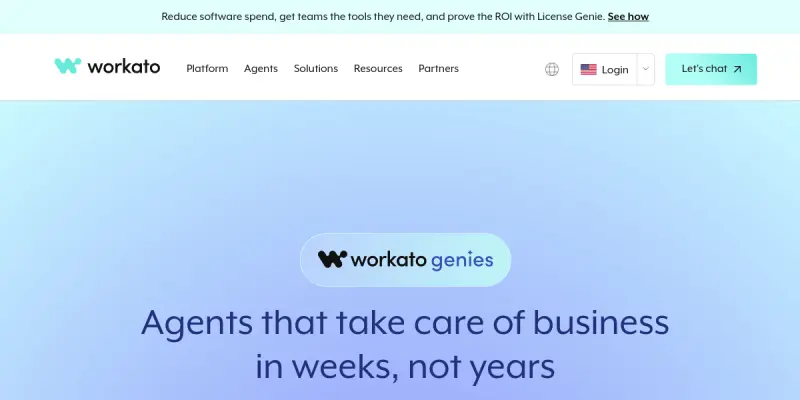
Workato AI, powered by the Genie platform, enables organizations to build, deploy, and manage AI agents without writing a single line of code. It focuses on dynamic workflow orchestration, allowing users to connect and automate actions across hundreds of applications and systems. Originally developed as an integration platform, Workato has evolved to incorporate generative AI, offering a low-code environment where teams can create intelligent automations that adapt to changing data and business rules.
Key Features
- Visual AI Agent Builder: Drag-and-drop interface to design agents that combine LLMs, APIs, and business logic.
- Dynamic Workflow Orchestration: Agents can trigger actions across connected apps based on real-time data and context.
- App Integration Hub: Pre-built connectors for Salesforce, Slack, SAP, ServiceNow, and over 1,000 other services.
- Natural Language Prompts: Instruct agents in plain English to build automations or extract insights.
- Real-Time Data Handling: Process streaming events and webhooks for responsive automation.
- Collaboration Workspaces: Teams can co-edit and manage agents with version control and permissions.
- Security & Compliance: Role-based access, audit logs, and SOC 2 certification.
- Scalable Execution: Enterprise-grade infrastructure for high-volume production workloads.
Use Cases
Customer Service Automation
Customer service teams can deploy AI agents that handle routine ticket resolution, escalate complex issues, and update CRM records simultaneously. For instance, an agent can read a support email, classify the issue, create a task in Jira, and reply to the customer—all without human intervention.
Finance and Accounting Workflows
Finance departments can build agents to process invoices, perform reconciliation between ERP and bank systems, and flag anomalies. Workato AI can pull data from QuickBooks, NetSuite, and Stripe, then apply rules to approve payments or trigger approvals.
Sales and CRM Management
Sales teams can use AI agents that enrich lead profiles, send personalized follow-ups via email or Slack, and update pipeline stages in Salesforce. Agents can also surface deal risks based on activity patterns.
IT Operations and DevOps
IT teams can build agents that monitor system health, restart servers on failure, post incident updates to Slack, and open tickets in ServiceNow—all through natural language commands.
Human Resources Onboarding
HR teams can create agents that send welcome emails, assign training modules, provision software accounts, and notify managers—automating the entire employee onboarding journey.
Pricing & Plans
Workato AI follows a freemium model. The free tier offers limited operations and a handful of integrations to get started. Paid plans—typically Community, Professional, and Enterprise—unlock higher data volumes, premium connectors, dedicated support, and advanced governance features. Exact pricing is not publicly disclosed and is quoted upon consultation with Workato sales.
Integrations & Compatibility
Workato AI connects with over 1,000 applications across categories, including Salesforce, Oracle, SAP, Slack, Microsoft Teams, Jira, ServiceNow, NetSuite, QuickBooks, Stripe, Shopify, and many more. It also supports custom APIs, webhooks, and database connections. The platform is cloud-based and accessible via standard web browsers.
Who Is It For?
Workato AI is designed for business users and IT teams in mid-size to large enterprises who need to automate complex multi-step workflows without heavy coding. It is especially useful for integration architects, operations managers, and automation specialists looking to embed AI into existing business processes.
Limitations
- Learning Curve for Complex Logic: While the visual builder is user-friendly, designing sophisticated multi-branch workflows can require a detailed understanding of the platform’s rules engine.
- Dependency on Internet Connectivity: As a cloud service, a stable internet connection is required for real-time orchestration.
- Cost for High-Volume Usage: The freemium tier is limited; scaling to enterprise-level automation often involves significant subscription costs.
- Limited Offline Capabilities: Agents cannot operate in disconnected or air-gapped environments without additional setup.
Final Verdict
Workato AI stands out as a powerful no-code platform for enterprises that want to incorporate AI agents into their existing automation ecosystem. Its strength lies in its vast integration library and the ability to orchestrate complex workflows across departments. However, its value is most apparent at scale, and smaller teams may find the paid tiers expensive. Overall, it is a solid choice for organizations ready to invest in comprehensive AI-driven automation.
Tool Facts
Screenshots & Interface
Pros
- ✓ Visual drag-and-drop agent builder eliminates the need for coding skills.
- ✓ Over 1,000 pre-built connectors enable rapid integration with major business apps.
- ✓ Dynamic orchestration allows workflows to adapt based on real-time data changes.
- ✓ Freemium model lets teams test core features without upfront payment.
- ✓ Natural language prompts make it accessible to non-technical users.
Cons
- × Free tier is very limited, restricting the number of operations and integrations.
- × Complex multi-branch workflows can have a steep learning curve despite the visual builder.
- × No offline mode; the platform relies entirely on cloud connectivity.
- × Enterprise-level pricing is opaque and can be expensive for smaller organizations.
How to Use Workato AI in Your Workflow
Integrating Workato AI into your professional toolkit enhances efficiency by automating manual steps. By configuring it to suit your specific project requirements, you can optimize output quality and reduce project cycle times. Standard workflows involve testing the tool on simple tasks before scaling its use to complex operations.
Frequently Asked Questions
What is Workato AI used for?
Workato AI helps businesses automate complex workflows using AI agents without coding. Its Genie tool enables dynamic orchestration across various apps and systems. It is designed for teams seeking to streamline operations through intelligent automation.
What is the pricing model for Workato AI?
Workato AI uses a Freemium pricing model.
What are the main advantages of Workato AI?
The key benefits of Workato AI include: Visual drag-and-drop agent builder eliminates the need for coding skills., Over 1,000 pre-built connectors enable rapid integration with major business apps., Dynamic orchestration allows workflows to adapt based on real-time data changes., Freemium model lets teams test core features without upfront payment., Natural language prompts make it accessible to non-technical users..
What are the main limitations of Workato AI?
Some limitations or cons of Workato AI are: Free tier is very limited, restricting the number of operations and integrations., Complex multi-branch workflows can have a steep learning curve despite the visual builder., No offline mode; the platform relies entirely on cloud connectivity., Enterprise-level pricing is opaque and can be expensive for smaller organizations..
Alternative AI Tools

Windsurf
Windsurf is an AI-native integrated development environment (IDE) designed for developers and enterprises. It integrates advanced code completion and generation capabilities directly into the editor workflow. The platform focuses on keeping developers in the flow state through intelligent code assistance.
CodeRabbit
CodeRabbit is an AI-powered code review tool for developers, offering context-aware feedback and line-by-line suggestions, enhancing collaboration.

LambdaTest AI
LambdaTest AI (now TestMu AI) is a cloud-based testing platform that leverages artificial intelligence to automate and enhance software quality assurance. It is designed for developers and QA teams seeking to accelerate test execution and improve release cycles through intelligent test orchestration.
Rating Details
Based on 0 ratings
Quick Comparisons
Related Tools
More AI tools from the same workflow, industry, or category.
AICode
AICode is a spec-driven AI coding copilot for developers using Visual Studio Code. It enforces a disciplined workflow to prevent AI-generated technical debt and ensures maintainable code. Its key differentiator is forcing line-by-line human review before changes are applied.
Opik
Opik is an open-source platform for LLM observability and evaluation. It helps developers trace, test, and monitor AI applications and autonomous agents throughout development and production.
PlanetScale AI
PlanetScale provides serverless cloud hosting for Vitess and PostgreSQL databases. It targets developers and engineering teams requiring high-performance, scalable database infrastructure. The platform enables instant scaling and branching workflows.
CodeReview AI
CodeReview AI is a tool that uses artificial intelligence to analyze code and suggest improvements. It helps developers identify bugs, security issues, and style inconsistencies automatically. The tool integrates with popular version control systems to fit into existing workflows.
Reviews
No reviews submitted yet. Be the first to share your experience.
Write a Review
Share Your Experience
Join the community to write reviews, submit ratings, and bookmark your favorite AI tools.