

Bertha AI
Use Bertha AI as the anchor for a real shortlist.
Instead of returning to a broad directory, jump straight into the strongest adjacent matchups for pricing, workflow fit, and differentiation.
Overview
Overview
Bertha AI is an AI-powered writing assistant designed to help content creators, marketers, and businesses produce high-quality written content directly within their WordPress site or Chrome browser. By offering a native plugin and browser extension, Bertha AI aims to streamline content workflows from ideation to publication. The tool leverages generative AI to assist with drafting, rewriting, expanding, and summarizing text, making it a practical choice for anyone who regularly creates web content.
Key Features
-
WordPress Plugin: Bertha AI offers a dedicated plugin that integrates seamlessly with the classic and block editors, allowing users to generate content without switching tabs.
-
Chrome Extension: The browser extension brings AI writing capabilities to any web page, enabling quick drafting on platforms like Google Docs, Gmail, and social media sites.
-
AI Content Generation: Users can generate blog posts, articles, product descriptions, headlines, and more by providing a brief prompt or topic.
-
Tone and Style Adjustment: The tool supports modifying the tone of the output — from professional and formal to casual and conversational.
-
Paraphrasing and Rephrasing: Bertha AI can rewrite existing content to improve clarity, avoid plagiarism, or adapt the text for different audiences.
-
Multi-Language Support: Content can be generated in multiple languages, making it useful for global teams and multilingual websites.
-
Customizable Settings: Users can set preferences for output length, creativity level, and key phrases to better align with brand guidelines.
Use Cases
Blogging and Article Writing
Bloggers and content marketers can use Bertha AI to quickly draft long-form articles. By entering a topic or a few bullet points, the tool generates a structured draft that can be refined and edited before publishing.
E-commerce Product Descriptions
E-commerce site owners can generate unique product descriptions in bulk. Bertha AI helps create compelling copy that highlights features and benefits, saving hours of manual writing.
Social Media Content
Social media managers can produce posts, captions, and ad copy directly from a web browser using the Chrome extension. The tool can adapt content to fit character limits and platform-specific styles.
Email Marketing
Marketing teams can draft email campaigns, newsletters, and follow-up sequences. Bertha AI assists in crafting subject lines and body copy that resonate with target audiences.
Multilingual Content Creation
Companies operating in multiple markets can generate content in different languages without needing a separate translator. This streamlines localization efforts and maintains consistency across regions.
Pricing & Plans
Bertha AI operates on a paid subscription model. The exact pricing tiers are not fully disclosed on the website, but a free trial is available for users to test the features before committing. Typically, paid plans include a limited number of words per month, with higher tiers offering larger word limits and additional features. For current pricing, users should visit the official website or contact sales.
Integrations & Compatibility
- WordPress: Full integration via a dedicated plugin for both classic and block editors.
- Chrome Browser: Installable extension that works across all websites.
- Other Browsers: Limited support for other browsers; Chrome is the primary target.
- APIs: No publicly documented API for custom integrations.
Who Is It For?
- Content creators and bloggers looking to speed up their writing process.
- Digital marketers who need to produce copy for multiple channels efficiently.
- E-commerce site owners managing large product catalogs.
- Social media managers requiring quick content generation.
- Non-native English speakers who benefit from AI-assisted writing and grammar support.
Limitations
- Output quality variability: Generated text can sometimes be repetitive or generic, requiring manual editing to achieve a natural tone.
- Brand voice alignment: The tool may struggle to consistently match a specific brand voice or style guide without significant manual adjustment.
- Factual accuracy: Bertha AI does not verify facts, so users must independently confirm any statistics, dates, or claims the tool generates.
- Limited browser support: The extension is only available for Chrome, restricting use for those who prefer Firefox, Edge, or Safari.
Final Verdict
Bertha AI is a practical AI writing assistant that excels in its deep integration with WordPress and Chrome. Its ability to generate, rewrite, and translate content directly within the user's existing workflow saves time and reduces friction. However, the tool is best suited for users who are comfortable editing AI output to match their brand's voice and who can perform necessary fact-checking. For teams already relying on WordPress and Chrome, Bertha AI offers a convenient and efficient way to accelerate content production.
Tool Facts
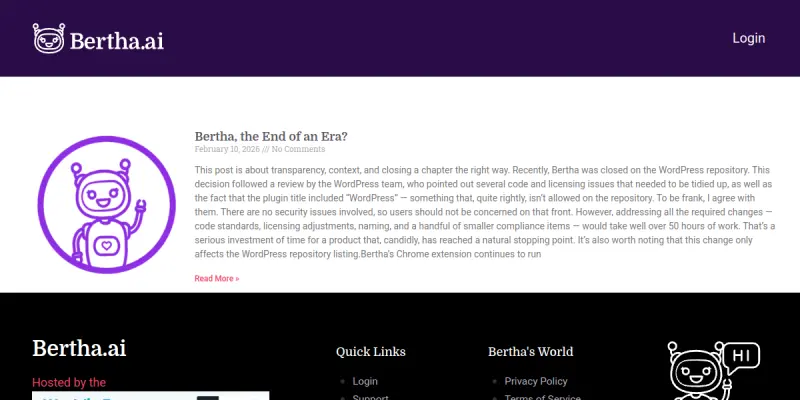
Screenshots & Interface
Pros
- ✓ Deep WordPress integration allows content generation directly within the block editor without switching tools.
- ✓ Chrome extension enables AI writing on any website, including Gmail, Google Docs, and social media platforms.
- ✓ Supports content generation in multiple languages, aiding global content teams.
- ✓ Includes tone adjustment and paraphrasing capabilities to refine output for different audiences.
- ✓ Offers a free trial to test features before committing to a paid plan.
Cons
- × Generated content may require manual editing to align with a brand's specific voice or style guide.
- × The tool can produce repetitive or generic phrasing, especially on common topics.
- × Bertha AI does not verify factual claims, so users must independently fact-check any data or statistics.
- × The Chrome extension is only available for Chrome, limiting usability for users of other browsers.
How to Use Bertha AI in Your Workflow
Integrating Bertha AI into your professional toolkit enhances efficiency by automating manual steps. By configuring it to suit your specific project requirements, you can optimize output quality and reduce project cycle times. Standard workflows involve testing the tool on simple tasks before scaling its use to complex operations.
Frequently Asked Questions
What is Bertha AI used for?
Bertha AI is an AI-powered writing assistant that integrates directly into WordPress and Chrome. It helps content creators, marketers, and businesses generate, edit, and optimize written content without leaving their browser or CMS. Its key differentiator is its native WordPress plugin that enables seamless editing within the block editor.
What is the pricing model for Bertha AI?
Bertha AI uses a Paid pricing model.
What are the main advantages of Bertha AI?
The key benefits of Bertha AI include: Deep WordPress integration allows content generation directly within the block editor without switching tools., Chrome extension enables AI writing on any website, including Gmail, Google Docs, and social media platforms., Supports content generation in multiple languages, aiding global content teams., Includes tone adjustment and paraphrasing capabilities to refine output for different audiences., Offers a free trial to test features before committing to a paid plan..
What are the main limitations of Bertha AI?
Some limitations or cons of Bertha AI are: Generated content may require manual editing to align with a brand's specific voice or style guide., The tool can produce repetitive or generic phrasing, especially on common topics., Bertha AI does not verify factual claims, so users must independently fact-check any data or statistics., The Chrome extension is only available for Chrome, limiting usability for users of other browsers..
Alternative AI Tools

NovelAI
NovelAI is a creative writing platform that uses AI to help authors generate and expand stories. It offers tools for world-building, character development, and branching narratives. The platform is designed for both hobbyist writers and professional authors looking to overcome writer's block.

WhiteSmoke
WhiteSmoke is an all-in-one writing software suite that combines grammar checking, spell checking, and style editing. It offers translation capabilities and English learning resources to help users improve their written communication across various languages. The tool functions as a comprehensive writing assistant for professional and academic contexts.
Klaviyo AI
Klaviyo AI provides an integrated suite for email and SMS marketing with AI-driven automation. It uses K:AI Agents to generate personalized content and optimize campaigns for e-commerce brands.
Rating Details
Based on 0 ratings
Quick Comparisons
Related Tools
More AI tools from the same workflow, industry, or category.
fablepilot
FablePilot is a free AI story generator that turns a single prompt into a complete story — no sign-up required. Add illustrations or generate a plot outline.
Ghosts.app
Ghosts is an AI ghostwriter for agencies, creators, and law firms. It produces researched, cited drafts in a specific voice without requiring prompts. Users brief a specialist agent and approve a finished draft.
GrowthBar
GrowthBar is an AI tool for content generation, designed to boost productivity and streamline workflows for writers and content creators, with features like editing and tone adjustment.
GetGenie AI
GetGenie AI is an AI-powered writing and SEO assistant that helps content creators and marketers generate optimized content quickly. It includes built-in keyword research and SERP analysis to improve organic search performance.
Reviews
No reviews submitted yet. Be the first to share your experience.
Write a Review
Share Your Experience
Join the community to write reviews, submit ratings, and bookmark your favorite AI tools.