
Blackbox AI
Use Blackbox AI as the anchor for a real shortlist.
Instead of returning to a broad directory, jump straight into the strongest adjacent matchups for pricing, workflow fit, and differentiation.
Overview
Overview
Blackbox AI is a comprehensive software development platform that combines an AI-native Integrated Development Environment (IDE), a VS Code extension, and a Command Line Interface (CLI). It utilizes a multi-agent architecture to assist developers in writing, debugging, and refactoring code more efficiently.
Key Features
- AI-Native IDE: A dedicated development environment built specifically for AI-assisted coding workflows.
- Multi-Agent Coding: Utilizes multiple AI agents to handle distinct coding tasks, such as generation, debugging, and refactoring simultaneously.
- VS Code Extension: Seamless integration into the widely used Visual Studio Code editor for a familiar coding experience.
- CLI Tool: A command-line interface that allows developers to interact with the AI tools directly from the terminal.
- Unified Inference API: Provides a standardized API for developers to integrate Blackbox AI's capabilities into their own custom applications and tools.
- Code Autocomplete: Offers intelligent suggestions to speed up the typing process and reduce syntax errors.
Use Cases
Rapid Prototyping
Developers can use Blackbox AI to quickly generate boilerplate code, database schemas, and basic function implementations. This speeds up the initial stages of project setup and allows teams to focus on core logic rather than syntax.
Debugging and Refactoring
The multi-agent system can analyze complex codebases to identify bugs, suggest fixes, and refactor code for better readability and performance without requiring manual review of every line.
Learning and Education
Students and junior developers can utilize the tool to understand code structure, best practices, and different programming paradigms by observing how the AI agents generate and structure code.
Pricing & Plans
Blackbox AI operates on a Freemium pricing model. This typically includes a free tier for basic usage and limited API calls, with paid subscription plans available for developers requiring higher usage limits, advanced agent features, or priority support.
Integrations & Compatibility
The tool integrates primarily with Visual Studio Code via an extension. It also offers a CLI tool for terminal users. Its unified inference API allows for compatibility with various development stacks that support RESTful API calls.
Who Is It For?
This tool is designed for software engineers, full-stack developers, and technical teams looking to accelerate their development lifecycle. It is particularly useful for those who want a centralized environment for code generation and management.
Limitations
- Requires a stable and active internet connection for all AI agents to function, as there is no offline mode.
- Output accuracy is contingent upon the quality and specificity of the user's prompts; vague instructions may lead to irrelevant code suggestions.
- Advanced features and higher API quotas are generally restricted to paid subscribers.
Final Verdict
Blackbox AI stands out as a robust platform for developers seeking to integrate AI deeply into their daily workflow. By offering a unified API and multiple interfaces (IDE, VS Code, CLI), it provides flexibility for various development preferences. While it requires an internet connection and a paid plan for advanced use, the efficiency gains for code generation and debugging make it a strong contender for modern development teams.
Tool Facts
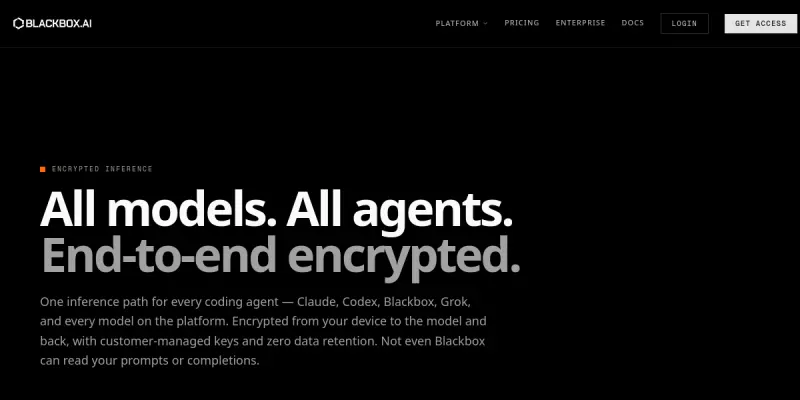
Screenshots & Interface
Pros
- ✓ The platform offers a unified inference API that allows developers to integrate AI coding capabilities directly into their own custom applications and workflows.
- ✓ It combines an AI-native IDE, VS Code extension, and CLI into a single ecosystem, providing consistent functionality across different development environments.
- ✓ The multi-agent architecture enables specialized handling of coding tasks, improving the accuracy and relevance of code suggestions compared to single-model tools.
Cons
- × The tool requires a stable internet connection to function, as the AI agents operate in the cloud and do not support offline coding.
- × Access to the most advanced features and higher API usage limits typically requires a paid subscription, which may not be suitable for hobbyists.
- × The quality of the generated code depends heavily on the clarity and specificity of the prompts provided by the user.
How to Use Blackbox AI in Your Workflow
Integrating Blackbox AI into your professional toolkit enhances efficiency by automating manual steps. By configuring it to suit your specific project requirements, you can optimize output quality and reduce project cycle times. Standard workflows involve testing the tool on simple tasks before scaling its use to complex operations.
Frequently Asked Questions
What is Blackbox AI used for?
Blackbox AI offers an AI-native IDE and VS Code integration for multi-agent coding tasks. It provides a unified inference API for developers to build and manage software projects.
What is the pricing model for Blackbox AI?
Blackbox AI uses a Freemium pricing model.
What are the main advantages of Blackbox AI?
The key benefits of Blackbox AI include: The platform offers a unified inference API that allows developers to integrate AI coding capabilities directly into their own custom applications and workflows., It combines an AI-native IDE, VS Code extension, and CLI into a single ecosystem, providing consistent functionality across different development environments., The multi-agent architecture enables specialized handling of coding tasks, improving the accuracy and relevance of code suggestions compared to single-model tools..
What are the main limitations of Blackbox AI?
Some limitations or cons of Blackbox AI are: The tool requires a stable internet connection to function, as the AI agents operate in the cloud and do not support offline coding., Access to the most advanced features and higher API usage limits typically requires a paid subscription, which may not be suitable for hobbyists., The quality of the generated code depends heavily on the clarity and specificity of the prompts provided by the user..
Alternative AI Tools

SurrealDB AI
SurrealDB is the context layer for AI agents. It unifies document, graph, and vector storage into a single database. No middleware required.

Backendless AI
Backendless AI is a low-code development platform that combines visual UI building, codeless logic, and a real-time database. It is designed for developers and business users who want to accelerate app creation. Its key differentiator is the integration of AI-assisted tools directly into the visual development environment.

xMatters AI
xMatters AI is an incident management platform that helps DevOps, SREs, and ops teams automate workflows and ensure infrastructure availability. It uses AI to streamline on-call scheduling, alerting, and incident response. The platform is built for organizations that need to reduce downtime and deliver products at scale.
Rating Details
Based on 0 ratings
Related Tools
More AI tools from the same workflow, industry, or category.
AICode
AICode is a spec-driven AI coding copilot for developers using Visual Studio Code. It enforces a disciplined workflow to prevent AI-generated technical debt and ensures maintainable code. Its key differentiator is forcing line-by-line human review before changes are applied.
Opik
Opik is an open-source platform for LLM observability and evaluation. It helps developers trace, test, and monitor AI applications and autonomous agents throughout development and production.
PlanetScale AI
PlanetScale provides serverless cloud hosting for Vitess and PostgreSQL databases. It targets developers and engineering teams requiring high-performance, scalable database infrastructure. The platform enables instant scaling and branching workflows.
CodeReview AI
CodeReview AI is a tool that uses artificial intelligence to analyze code and suggest improvements. It helps developers identify bugs, security issues, and style inconsistencies automatically. The tool integrates with popular version control systems to fit into existing workflows.
Reviews
No reviews submitted yet. Be the first to share your experience.
Write a Review
Share Your Experience
Join the community to write reviews, submit ratings, and bookmark your favorite AI tools.