

ContentBot
Use ContentBot as the anchor for a real shortlist.
Instead of returning to a broad directory, jump straight into the strongest adjacent matchups for pricing, workflow fit, and differentiation.
Overview
Overview
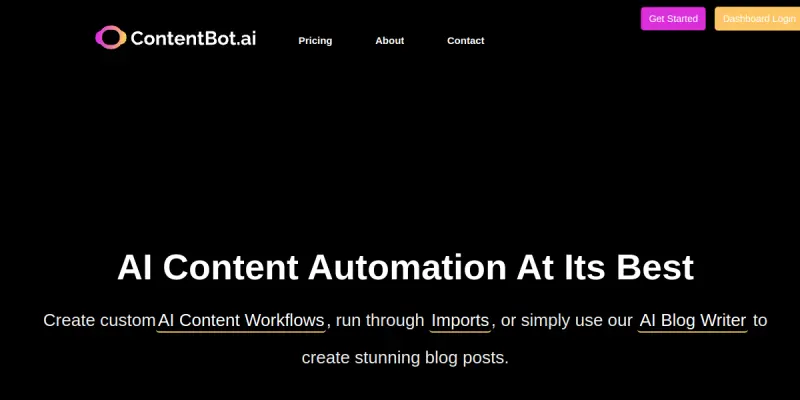
ContentBot is a freemium SaaS platform that enables users to automate content creation through customizable AI workflows. By chaining together different AI tasks—such as generating drafts, adjusting tone, or translating text—ContentBot aims to reduce manual effort for content teams. The platform supports multiple languages and content formats, making it suitable for businesses that produce large volumes of written material.
Key Features
- AI Workflow Builder: Create custom content flows by connecting AI modules for tasks like drafting, editing, and paraphrasing.
- Multi-Language Support: Generate and edit content in over 50 languages to serve global audiences.
- Tone Adjustment: Automatically adjust the tone of your text to match formal, casual, persuasive, or other styles.
- Content Paraphrasing: Rewrite sentences or paragraphs while preserving the original meaning.
- Batch Processing: Process multiple content items simultaneously to save time.
- Export Options: Download generated content in HTML or plain text format for easy integration.
- Template Library: Access pre-built workflow templates for common content types like blog posts, social media captions, and emails.
- Collaboration Tools: Share workflows with team members to ensure consistent content production.
Use Cases
Blog Content Automation
Content marketers can set up workflows that automatically generate blog post drafts based on a topic or keyword, then adjust tone and add concluding paragraphs—cutting down the writing time per post.
Social Media Repurposing
Users can convert a long-form article into multiple social media posts by creating a workflow that extracts key points, rewrites them for different platforms, and adjusts character limits.
Multilingual Content Expansion
Businesses expanding into new markets can use ContentBot to translate existing content into multiple languages and then apply tone adjustments to match local communication styles.
Editorial Quality Assurance
Edit teams can run all outgoing content through a workflow that checks for consistency, paraphrases overused phrases, and applies brand voice guidelines automatically.
Pricing & Plans
ContentBot operates on a Freemium model. The free tier includes limited credits per month, allowing users to test basic workflows. Paid plans (starting around $19/month) unlock additional credits, advanced features like batch processing, and priority support. Detailed pricing for team or enterprise plans is not publicly disclosed; users are encouraged to contact sales for custom quotes.
Integrations & Compatibility
ContentBot is a web-based SaaS tool accessible from any modern browser. It offers export in HTML and plain text formats. Specific native integrations with third-party platforms (e.g., WordPress, Zapier, Slack) are not listed on the main site, but the platform can be used in conjunction with other tools through manual copy-paste or API-based automation.
Who Is It For?
ContentBot is ideal for content marketers, social media managers, freelance writers, and small to medium-sized businesses that produce regular content and want to reduce manual effort. It is also useful for international teams needing multilingual content creation.
Limitations
- No native integrations: The platform lacks direct connections to popular content management systems or collaboration tools, requiring manual export/import.
- Output quality varies: Generated text may need human editing to match a specific brand voice or to avoid repetitive phrasing.
- Credit-based limits: The free tier has low credit counts, and heavy users will need a paid plan.
- No fact-checking: The AI does not verify the accuracy of informational data; users must fact-check all generated content.
Final Verdict
ContentBot offers a solid approach to automating content workflows, especially for teams that need to produce large volumes of text efficiently. Its strengths lie in the flexibility of its workflow builder and multi-language support. However, the lack of integrations and reliance on manual editing for quality control means it may not be a complete solution for enterprises seeking fully automated, brand-ready content. It is a useful tool for streamlining repetitive tasks but requires human oversight.
Tool Facts
Screenshots & Interface
Pros
- ✓ Workflow builder allows custom automation of repetitive writing tasks
- ✓ Tone adjustment feature helps tailor content to different audiences
- ✓ Multi-language support enables content creation for global markets
- ✓ Batch processing saves time when handling multiple content items
Cons
- × No native integrations with popular CMS or collaboration tools
- × Free tier has limited credits that restrict heavy usage
- × Generated text often needs manual editing to align with brand voice
- × Fact-checking is necessary for factual accuracy as the AI does not verify data
How to Use ContentBot in Your Workflow
Integrating ContentBot into your professional toolkit enhances efficiency by automating manual steps. By configuring it to suit your specific project requirements, you can optimize output quality and reduce project cycle times. Standard workflows involve testing the tool on simple tasks before scaling its use to complex operations.
Frequently Asked Questions
What is ContentBot used for?
ContentBot is an AI-powered content automation platform that lets users build custom AI workflows. It is designed for content marketers and creators who want to streamline writing, editing, and repurposing tasks with automated flows.
What is the pricing model for ContentBot?
ContentBot uses a Freemium pricing model.
What are the main advantages of ContentBot?
The key benefits of ContentBot include: Workflow builder allows custom automation of repetitive writing tasks, Tone adjustment feature helps tailor content to different audiences, Multi-language support enables content creation for global markets, Batch processing saves time when handling multiple content items.
What are the main limitations of ContentBot?
Some limitations or cons of ContentBot are: No native integrations with popular CMS or collaboration tools, Free tier has limited credits that restrict heavy usage, Generated text often needs manual editing to align with brand voice, Fact-checking is necessary for factual accuracy as the AI does not verify data.
Alternative AI Tools

Peech
Peech is a text-to-speech tool available on iOS, Chrome, and enterprise platforms. It converts written text into spoken audio across devices. It supports multiple content formats.

Pictory
Pictory is an AI-powered video generator for content creators and marketers. It transforms text, URLs, presentations, and media into professional branded videos with automatic captions and voiceovers, reducing production time from hours to minutes.

WordKraft
WordKraft is a unified platform providing access to 12+ AI models, including GPT-4 and Claude, alongside 250+ specialized tools for content creation, image generation, and agent building.
Rating Details
Based on 0 ratings
Quick Comparisons
Related Tools
More AI tools from the same workflow, industry, or category.
fablepilot
FablePilot is a free AI story generator that turns a single prompt into a complete story — no sign-up required. Add illustrations or generate a plot outline.
Ghosts.app
Ghosts is an AI ghostwriter for agencies, creators, and law firms. It produces researched, cited drafts in a specific voice without requiring prompts. Users brief a specialist agent and approve a finished draft.
GrowthBar
GrowthBar is an AI tool for content generation, designed to boost productivity and streamline workflows for writers and content creators, with features like editing and tone adjustment.
GetGenie AI
GetGenie AI is an AI-powered writing and SEO assistant that helps content creators and marketers generate optimized content quickly. It includes built-in keyword research and SERP analysis to improve organic search performance.
Reviews
No reviews submitted yet. Be the first to share your experience.
Write a Review
Share Your Experience
Join the community to write reviews, submit ratings, and bookmark your favorite AI tools.