

Brandmark
Use Brandmark as the anchor for a real shortlist.
Instead of returning to a broad directory, jump straight into the strongest adjacent matchups for pricing, workflow fit, and differentiation.
Overview
Overview
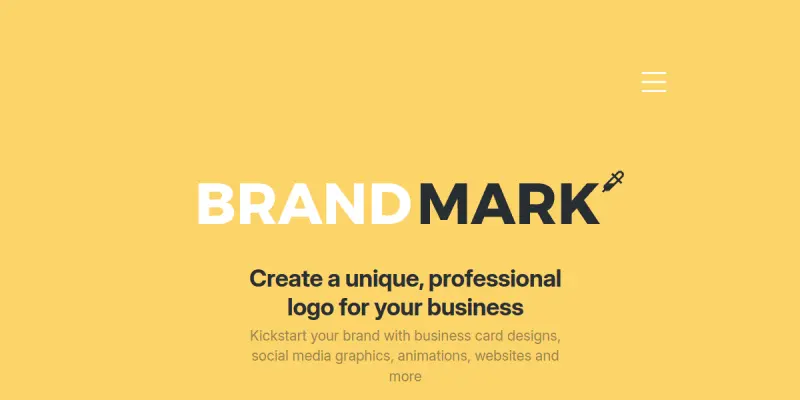
Brandmark is a generative AI-powered branding tool that enables users to create cohesive brand identities—including logos, business cards, and social media graphics—in under a minute. Targeted at entrepreneurs, freelancers, and small businesses, Brandmark eliminates the need for design expertise by offering a fast, automated design generation process. Its core value is speed and simplicity, allowing non-designers to produce professional-looking brand assets instantly.
Key Features
- AI Logo Generation: Creates unique logo concepts based on user-provided keywords and style preferences.
- Business Card Designer: Automatically generates matching business card layouts that align with the selected logo and color scheme.
- Social Media Graphics: Produces branded social media posts and cover images for multiple platforms.
- Color Palette Extraction: Analyzes logos and suggests harmonious color palettes for consistent branding.
- Font Pairing Suggestions: Recommends font combinations that work well together for a polished look.
- Real-time Preview: Allows users to see how their brand assets will appear on various mockups before finalizing.
Use Cases
Entrepreneur Branding
A startup founder can use Brandmark to quickly generate a logo and matching business card before launching their business. The AI handles the design process, freeing the founder to focus on other tasks.
Freelancer Portfolio
Freelancers who need to brand their personal projects or client work can create a set of social media graphics and a logo in minutes, maintaining consistency across their online presence.
Small Business Rebranding
A small business looking to refresh its identity can experiment with multiple logo styles and color schemes using Brandmark's generator, then apply the chosen design to business cards and social media instantly.
Pricing & Plans
Brandmark offers a free tier that allows users to generate logos and preview designs. To download high-resolution files and access full commercial usage rights, users must purchase a paid plan. Specific pricing details for premium tiers are not publicly disclosed on the website.
Integrations & Compatibility
Brandmark is a web-based tool and does not offer native integrations with other platforms. Generated assets can be downloaded in standard image formats (PNG, SVG) and used in any third-party design or social media platform.
Who Is It For?
Brandmark is best suited for individuals and small teams with no design background who need a fast, affordable way to create initial brand assets. It is not recommended for large enterprises or professional designers requiring extensive customization.
Limitations
- Limited customization options compared to professional design software like Adobe Illustrator or Canva.
- The AI-generated designs may lack originality or nuance for complex branding needs.
- No collaboration features for teams or multi-user workflows.
- Premium features require a purchase, and pricing details are not transparent upfront.
Final Verdict
Brandmark is a practical solution for quick, AI-generated branding assets. It excels at speed and simplicity, making it accessible for non-designers. However, its reliance on templates and limited manual control means it's best used for initial concepts or simple identity projects rather than full-scale branding campaigns.
Tool Facts
Screenshots & Interface
Pros
- ✓ Generates logo, business card, and social media graphics in under a minute.
- ✓ Requires no design experience to create professional-looking brand assets.
- ✓ Offers a free tier to test the tool before committing to a purchase.
- ✓ Provides high-resolution downloads and SVG files for scalable use.
Cons
- × Limited design customization compared to manual design tools like Adobe Illustrator.
- × Paid plan required for high-resolution downloads and commercial use rights.
- × AI-generated designs may feel generic and lack unique brand personality.
- × No team collaboration or multi-user features are available.
How to Use Brandmark in Your Workflow
Integrating Brandmark into your professional toolkit enhances efficiency by automating manual steps. By configuring it to suit your specific project requirements, you can optimize output quality and reduce project cycle times. Standard workflows involve testing the tool on simple tasks before scaling its use to complex operations.
Frequently Asked Questions
What is Brandmark used for?
Brandmark is a generative AI tool that helps users create logos, business cards, and social media graphics quickly. It is designed for entrepreneurs and small businesses needing custom visual identity assets without design experience. The tool uses AI to generate brand packages in under a minute.
What is the pricing model for Brandmark?
Brandmark uses a Free pricing model.
What are the main advantages of Brandmark?
The key benefits of Brandmark include: Generates logo, business card, and social media graphics in under a minute., Requires no design experience to create professional-looking brand assets., Offers a free tier to test the tool before committing to a purchase., Provides high-resolution downloads and SVG files for scalable use..
What are the main limitations of Brandmark?
Some limitations or cons of Brandmark are: Limited design customization compared to manual design tools like Adobe Illustrator., Paid plan required for high-resolution downloads and commercial use rights., AI-generated designs may feel generic and lack unique brand personality., No team collaboration or multi-user features are available..
Alternative AI Tools

Fotor AI
Fotor AI is an online photo editing platform that uses artificial intelligence to enhance, retouch, and transform images. It serves casual users and designers who need quick edits, AI-powered effects, and design templates. Its key differentiator is a free tier with robust AI features like background removal and portrait retouching.

Wix ADI
Wix ADI automates website creation by generating custom sites based on user inputs and preferences. It offers 500+ design styles and integrates directly with the Wix editor. This tool targets users seeking a quick, AI-driven solution for establishing a professional web presence.
Playground AI
Playground AI is an online image generation tool that helps users create custom designs, logos, and social media graphics. It offers a text-to-image workflow suitable for designers and content creators seeking quick visual assets. Its key differentiator is a large library of community-created styles and models.
Rating Details
Based on 0 ratings
Quick Comparisons
Related Tools
More AI tools from the same workflow, industry, or category.
Createimg.ai
Createimg.ai provides text-to-image generation and photo editing tools including background removal. It is designed for e-commerce sellers and creators needing free visual assets.
JetBrains AI
JetBrains AI is an AI-powered toolset integrated into JetBrains IDEs, offering code completion, debugging assistance, and intelligent suggestions for developers. It leverages large language models to help teams write, understand, and refactor code more efficiently. A key differentiator is its seamless integration with JetBrains' existing development environment.
Stable Diffusion Inpaint
Stable Diffusion Inpaint is an AI-powered tool that uses diffusion models to intelligently fill in or replace parts of an image. It is designed for photographers, designers, and content creators who need precise and context-aware image editing. Its key differentiator is the ability to generate new content that seamlessly blends with the existing image.
Crello AI
VistaCreate (formerly Crello) is a cloud-based design tool using AI to generate graphics from text prompts. It features 100K+ templates for social media and marketing.
Reviews
No reviews submitted yet. Be the first to share your experience.
Write a Review
Share Your Experience
Join the community to write reviews, submit ratings, and bookmark your favorite AI tools.