

GitHub Copilot
Use GitHub Copilot as the anchor for a real shortlist.
Instead of returning to a broad directory, jump straight into the strongest adjacent matchups for pricing, workflow fit, and differentiation.
Overview
Overview
GitHub Copilot is an AI pair programmer developed by GitHub and OpenAI that assists developers by autocompleting code and suggesting entire functions. It functions as a virtual coding partner, leveraging a large language model to understand the context of a user's code and generate relevant suggestions in real-time. This tool is designed to streamline the coding workflow, allowing developers to focus on higher-level logic and architecture rather than boilerplate code.
Key Features
- Real-Time Tab Completion: Suggests entire lines of code and whole functions as you type, significantly speeding up the coding process.
- Context Awareness: Understands the context of your entire codebase, including multi-file projects, to provide relevant suggestions.
- Natural Language to Code: Allows developers to write comments or natural language descriptions, and the AI generates the corresponding code.
- Multi-Language Support: Supports a wide range of programming languages including Python, JavaScript, TypeScript, Go, Ruby, and Rust.
- IDE Integration: Seamlessly integrates with popular integrated development environments (IDEs) such as Visual Studio Code, JetBrains, Neovim, and Visual Studio.
- Multi-Line Editing: Can generate complex blocks of code and multi-line functions with a single keystroke.
Use Cases
Rapid Prototyping
Developers can quickly generate boilerplate code and function structures to prototype new ideas faster. This accelerates the initial stages of software development, allowing teams to validate concepts without getting bogged down in syntax details.
Learning New Languages
For developers looking to learn a new programming language, Copilot provides instant examples and syntax guidance. It serves as an interactive tutor, demonstrating how to structure code in languages the developer may not be fully fluent in yet.
Code Refactoring
When refactoring existing code, Copilot can suggest cleaner, more efficient ways to write logic. It helps maintain consistency across the codebase and can identify patterns that improve readability and performance.
Generating Unit Tests
Writing unit tests can be time-consuming. Copilot can assist by generating test cases and assertions based on the function or class being tested, ensuring better code coverage with less manual effort.
Writing Documentation
Developers can use Copilot to generate docstrings and comments for their code, ensuring that the codebase remains well-documented and easier for other team members to understand.
Pricing & Plans
GitHub Copilot offers subscription-based pricing tailored for different user needs:
- Individual: A monthly subscription for individual developers.
- Business: A subscription that includes access for all employees in a company, with additional management features.
- Enterprise: A dedicated solution for large organizations with advanced security, administrative controls, and compliance features.
Integrations & Compatibility
GitHub Copilot integrates natively with major IDEs and code editors. It works within the editor's ecosystem, requiring no additional setup for basic functionality. The extension-based architecture ensures it fits into existing developer workflows without disrupting the development environment.
Who Is It For?
This tool is primarily designed for software developers, software engineers, and students. It is ideal for anyone who writes code regularly and is looking to improve their coding speed and efficiency. It is also useful for technical leads who want to ensure code consistency across their team.
Limitations
- Privacy Concerns: Code snippets are sent to OpenAI's servers for processing, which may raise privacy concerns for organizations with sensitive or proprietary code.
- Subscription Cost: It is a paid tool, which may not be feasible for hobbyists or very small projects with limited budgets.
- Dependence on Internet: The service requires a stable internet connection to function, as the AI model runs in the cloud.
- Potential for Hallucinations: Like all AI models, it can occasionally generate incorrect or nonsensical code suggestions that require human verification.
Final Verdict
GitHub Copilot is a powerful tool that significantly enhances the coding workflow for software developers. Its ability to provide context-aware suggestions and automate repetitive tasks makes it a valuable asset for both individual developers and large teams. While there are privacy and cost considerations, its benefits in speed and productivity often outweigh these drawbacks for professional development environments.
Tool Facts
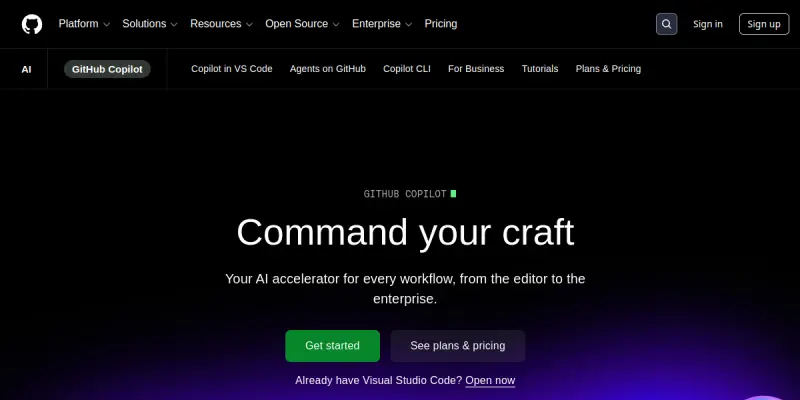
Screenshots & Interface
Pros
- ✓ Provides intelligent context-aware code suggestions
- ✓ Seamlessly integrates with major IDEs like VS Code and JetBrains
- ✓ Supports multiple programming languages including Python, JavaScript, and TypeScript
Cons
- × Subscription costs can add up for large teams
- × Privacy concerns regarding code sent to OpenAI
- × Can occasionally produce inaccurate code suggestions
How to Use GitHub Copilot in Your Workflow
Integrating GitHub Copilot into your professional toolkit enhances efficiency by automating manual steps. By configuring it to suit your specific project requirements, you can optimize output quality and reduce project cycle times. Standard workflows involve testing the tool on simple tasks before scaling its use to complex operations.
Frequently Asked Questions
What is GitHub Copilot used for?
GitHub Copilot is an AI pair programmer that provides real-time code suggestions and autocompletion. It enhances developer productivity by learning from the codebase.
What is the pricing model for GitHub Copilot?
GitHub Copilot uses a Paid pricing model.
What are the main advantages of GitHub Copilot?
The key benefits of GitHub Copilot include: Provides intelligent context-aware code suggestions, Seamlessly integrates with major IDEs like VS Code and JetBrains, Supports multiple programming languages including Python, JavaScript, and TypeScript.
What are the main limitations of GitHub Copilot?
Some limitations or cons of GitHub Copilot are: Subscription costs can add up for large teams, Privacy concerns regarding code sent to OpenAI, Can occasionally produce inaccurate code suggestions.
Alternative AI Tools

Couchbase AI
Couchbase AI is a managed database platform that integrates AI capabilities for developers and data engineers. It enables vector search, retrieval-augmented generation (RAG), and real-time analytics within a single NoSQL database. The tool is designed for building intelligent applications with minimal operational overhead.

Codeium
Codeium's Windsurf Editor is an AI-native IDE designed to help developers code more efficiently. It provides context-aware code suggestions and commands to streamline the development workflow.

RethinkDB AI
RethinkDB AI helps developers automate database workflows and optimize queries. It specializes in AI-powered code assistance for database management.
Rating Details
Based on 0 ratings
Related Tools
More AI tools from the same workflow, industry, or category.
AICode
AICode is a spec-driven AI coding copilot for developers using Visual Studio Code. It enforces a disciplined workflow to prevent AI-generated technical debt and ensures maintainable code. Its key differentiator is forcing line-by-line human review before changes are applied.
Opik
Opik is an open-source platform for LLM observability and evaluation. It helps developers trace, test, and monitor AI applications and autonomous agents throughout development and production.
PlanetScale AI
PlanetScale provides serverless cloud hosting for Vitess and PostgreSQL databases. It targets developers and engineering teams requiring high-performance, scalable database infrastructure. The platform enables instant scaling and branching workflows.
CodeReview AI
CodeReview AI is a tool that uses artificial intelligence to analyze code and suggest improvements. It helps developers identify bugs, security issues, and style inconsistencies automatically. The tool integrates with popular version control systems to fit into existing workflows.
Reviews
No reviews submitted yet. Be the first to share your experience.
Write a Review
Share Your Experience
Join the community to write reviews, submit ratings, and bookmark your favorite AI tools.