

QuickBase AI
Use QuickBase AI as the anchor for a real shortlist.
Instead of returning to a broad directory, jump straight into the strongest adjacent matchups for pricing, workflow fit, and differentiation.
Overview
Overview
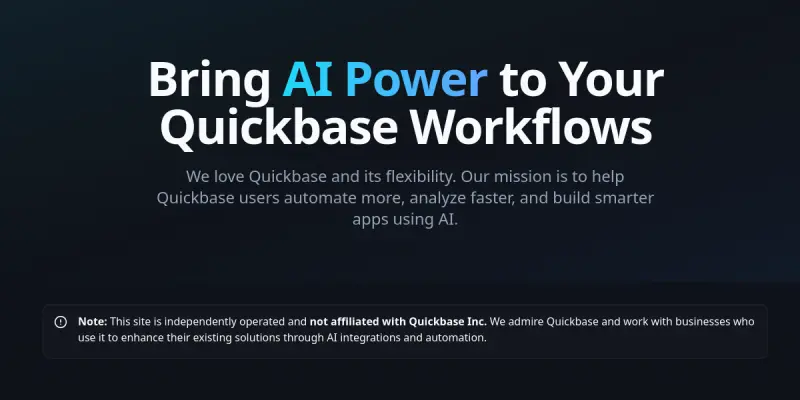
QuickBase AI is a SaaS tool that embeds artificial intelligence directly into the Quickbase platform. It allows users to automate routine data operations, accelerate analysis, and construct more intelligent applications without leaving their familiar Quickbase environment. The tool acts as a bridge between Quickbase's low-code capabilities and advanced AI models, making AI accessible to non-technical users.
Key Features
- AI-Powered Automation: Automates repetitive Quickbase tasks such as data entry, record updates, and report generation.
- Smart Data Analysis: Uses machine learning models to identify trends, outliers, and patterns in Quickbase data.
- Natural Language Querying: Lets users ask business questions in plain language and receive data-driven answers.
- Custom AI Integrations: Connects Quickbase with external AI services (e.g., GPT, image recognition) via a simple interface.
- Workflow Triggers: Set up AI actions to fire automatically based on Quickbase field changes or scheduled events.
- Pre-Built Templates: Offers ready-to-use AI workflow templates for common Quickbase use cases such as lead scoring, inventory forecasting, and ticket categorization.
Use Cases
Lead Scoring
Sales teams can automatically score leads based on historical conversion data and demographic attributes. QuickBase AI updates lead records in real time, helping prioritize follow-ups.
Inventory Forecasting
Operations managers use AI to predict stock levels and reorder points by analyzing past sales cycles and current inventory data stored in Quickbase.
Automated Customer Support Ticketing
Support teams can automatically categorize incoming tickets by sentiment, priority, and topic, then route them to the appropriate Quickbase table or user.
Reporting Automation
Instead of manually refreshing dashboards, users can schedule AI-powered analysis runs that generate new insights and populate Quickbase reports.
Pricing & Plans
QuickBase AI operates on a Freemium model. The free tier includes basic automation templates and limited monthly credits. Paid plans unlock advanced AI models, higher credit allowances, and priority support. Exact pricing is not publicly disclosed; users are directed to contact sales for a custom quote.
Integrations & Compatibility
As a dedicated extension of the Quickbase ecosystem, QuickBase AI integrates natively with Quickbase applications. It also supports connections to popular AI APIs such as OpenAI and Google Cloud AI. The tool is web-based and works on any modern browser. No on-premise installation is required.
Who Is It For?
QuickBase AI is aimed at Quickbase administrators, business analysts, and power users who want to add AI capabilities to their applications without writing code. It is also suitable for small to midsize teams that manage operational data in Quickbase and seek to improve efficiency.
Limitations
- Quickbase-Only: The tool is built exclusively for Quickbase and does not extend to other database platforms.
- Limited Free Credits: Users on the free tier may face usage caps that restrict heavy workflows.
- Dependence on Third-Party APIs: AI functionality relies on external services, which can affect performance and data privacy.
- Steep Learning Curve for Advanced Features: While basic setup is simple, complex workflow customization may require reference to documentation.
Final Verdict
QuickBase AI fills a clear niche for Quickbase users who want to harness AI without leaving their current platform. Its freemium tier lowers the entry barrier, and its pre-built templates reduce time to value. However, the reliance on external APIs, limited free credits, and exclusive focus on Quickbase may narrow its appeal. Overall, it is a practical add-on for teams already invested in Quickbase.
Tool Facts
Screenshots & Interface
Pros
- ✓ Native integration with Quickbase eliminates the need to switch platforms.
- ✓ Pre-built AI templates reduce setup time for common use cases like lead scoring and forecasting.
- ✓ Natural language querying allows non-technical users to analyze data without SQL or scripting.
- ✓ Freemium pricing enables teams to test core features with minimal upfront cost.
- ✓ Workflow triggers automate actions directly within Quickbase, improving operational speed.
Cons
- × Tool functions only within Quickbase and cannot be used with other database platforms.
- × Free tier includes limited monthly credits that may restrict frequent automation tasks.
- × AI features depend on third-party APIs, which may introduce latency and data privacy concerns.
- × Advanced workflow customization can require reading through documentation, which may slow complex implementations.
How to Use QuickBase AI in Your Workflow
Integrating QuickBase AI into your professional toolkit enhances efficiency by automating manual steps. By configuring it to suit your specific project requirements, you can optimize output quality and reduce project cycle times. Standard workflows involve testing the tool on simple tasks before scaling its use to complex operations.
Frequently Asked Questions
What is QuickBase AI used for?
QuickBase AI integrates artificial intelligence into Quickbase environments, enabling users to automate repetitive tasks, analyze data more quickly, and build smarter applications. It is designed for Quickbase power users who want to extend platform capabilities without extensive coding.
What is the pricing model for QuickBase AI?
QuickBase AI uses a Freemium pricing model.
What are the main advantages of QuickBase AI?
The key benefits of QuickBase AI include: Native integration with Quickbase eliminates the need to switch platforms., Pre-built AI templates reduce setup time for common use cases like lead scoring and forecasting., Natural language querying allows non-technical users to analyze data without SQL or scripting., Freemium pricing enables teams to test core features with minimal upfront cost., Workflow triggers automate actions directly within Quickbase, improving operational speed..
What are the main limitations of QuickBase AI?
Some limitations or cons of QuickBase AI are: Tool functions only within Quickbase and cannot be used with other database platforms., Free tier includes limited monthly credits that may restrict frequent automation tasks., AI features depend on third-party APIs, which may introduce latency and data privacy concerns., Advanced workflow customization can require reading through documentation, which may slow complex implementations..
Alternative AI Tools

Cursor
Cursor Software AG provides a comprehensive CRM and BPM suite for customer relationship and business process management.

Reviewable AI
Reviewable AI automates code review for development teams by integrating with GitHub. It analyzes pull requests for issues, style violations, and security risks. This tool helps teams maintain code quality without slowing down delivery.

AskCodi
AskCodi is an AI-powered code assistant that helps developers generate code snippets and debug issues across multiple programming languages.
Rating Details
Based on 0 ratings
Quick Comparisons
Related Tools
More AI tools from the same workflow, industry, or category.
AICode
AICode is a spec-driven AI coding copilot for developers using Visual Studio Code. It enforces a disciplined workflow to prevent AI-generated technical debt and ensures maintainable code. Its key differentiator is forcing line-by-line human review before changes are applied.
Opik
Opik is an open-source platform for LLM observability and evaluation. It helps developers trace, test, and monitor AI applications and autonomous agents throughout development and production.
PlanetScale AI
PlanetScale provides serverless cloud hosting for Vitess and PostgreSQL databases. It targets developers and engineering teams requiring high-performance, scalable database infrastructure. The platform enables instant scaling and branching workflows.
CodeReview AI
CodeReview AI is a tool that uses artificial intelligence to analyze code and suggest improvements. It helps developers identify bugs, security issues, and style inconsistencies automatically. The tool integrates with popular version control systems to fit into existing workflows.
Reviews
No reviews submitted yet. Be the first to share your experience.
Write a Review
Share Your Experience
Join the community to write reviews, submit ratings, and bookmark your favorite AI tools.