
In the first half of 2026, the baseline expectation for LLM interfaces fundamentally broke. For years, we talked about AI assistants — chatbots that answered questions, generated text, and maybe helped you write a function or two. But the conversation has moved on. The new frontier isn't about what AI can say; it's about what it can do. And by "do," we mean open applications, click buttons, fill forms, navigate spreadsheets, and finish tasks on your computer while you grab coffee.
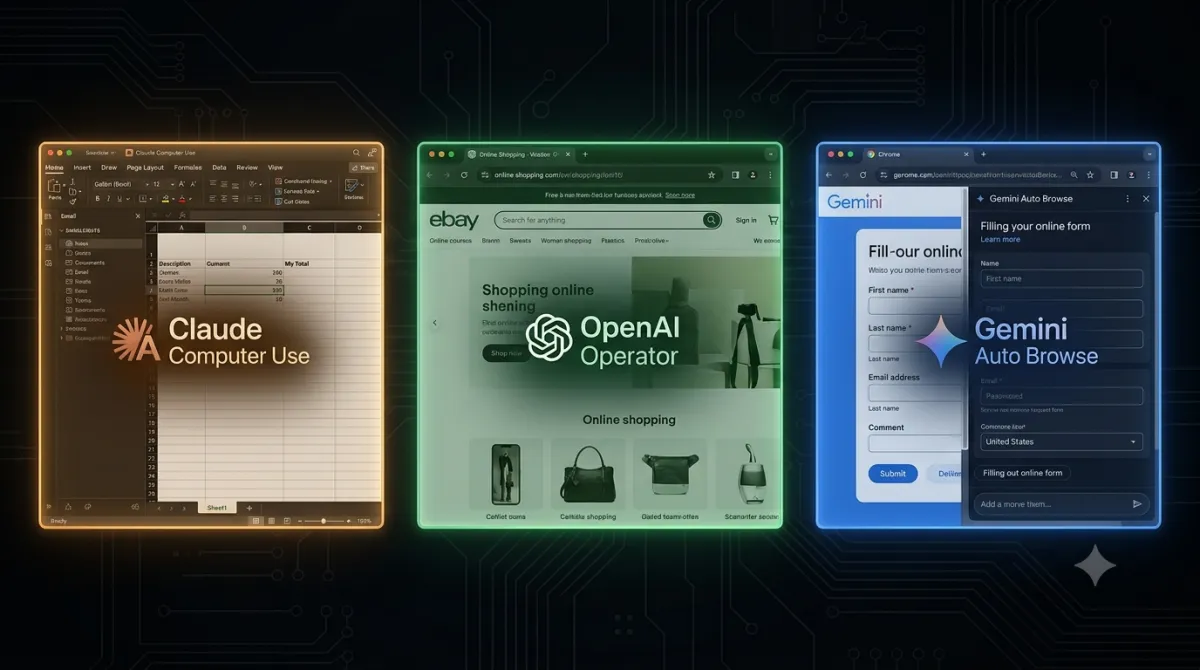
Three major players have entered this arena with distinctly different visions. Anthropic's Claude Computer Use (powering Claude Cowork and Claude Code) treats your desktop like a sandboxed workspace. OpenAI's Operator — now deeply integrated into ChatGPT as the ChatGPT Agent — takes a browser-first, consumer-friendly approach. And Google, after the dramatic shutdown of Project Mariner in May 2026, has folded its browser-agent ambitions into Chrome itself through Auto Browse and the Gemini Agent, betting everything on the browser as the new operating system.
This isn't a superficial feature comparison. These three approaches reflect fundamentally different philosophies about what an AI agent should be, who it should serve, and how much control you should hand over. Let's break them down.
Anthropic Claude: Sandboxed Isolation at the Expense of Operating Speed
Anthropic launched Computer Use as an API capability in late 2024, but the real inflection point came on March 23, 2026, when Claude Cowork went live with full desktop control. For the first time, you could give Claude a high-level goal — "Compile this quarterly report from the three Excel files on my desktop and email it to Sarah" — and watch it open apps, navigate files, manipulate data, and send the email autonomously.
Claude Computer Use works through a combination of screenshot analysis and mouse/keyboard control. The model takes periodic screenshots of your desktop, interprets what it sees, and then issues clicks, keystrokes, and scroll commands to accomplish the task. It's supported in both Claude Cowork (the consumer-facing agent inside the Claude app) and Claude Code (the developer-focused terminal tool), and as of June 2026, it also offers Managed Agents with self-hosted sandboxes and MCP tunnels for enterprise teams who need private network access.
The key design principle is sandboxed isolation. Claude doesn't get free rein over your entire system. Tasks run in controlled environments, and Anthropic has been meticulous about building guardrails — you can define what the agent can and can't access, and the system asks for confirmation before taking sensitive actions like sending emails or deleting files.
On benchmarks, Claude Sonnet 4.5 scored 61.4% on OSWorld, the gold-standard benchmark for computer-use agents, which Anthropic touted as "the best model at using computers." That claim was briefly accurate before competitors caught up, but it established Claude as a serious contender rather than a research curiosity.
Choose Claude Computer Use if:
- You need to automate workflows across desktop applications (Excel, Photoshop, IDEs, email clients)
- Enterprise security and sandboxed execution are non-negotiable
- You want fine-grained control over what the agent can and cannot access
- Your team uses MCP (Model Context Protocol) for tool integrations
- You're building custom agent pipelines with Claude Code
OpenAI Operator: Browser-First Optimization with a Consumer Surface
OpenAI took a different route. Operator launched in January 2025 as a standalone research preview — a ChatGPT-powered agent that could control a web browser to shop, book reservations, fill out forms, and handle other repetitive online tasks. It was powered by a new model called Computer-Using Agent (CUA), which combined GPT-4o's vision capabilities with reinforcement learning for advanced reasoning about screen interactions.
By July 2025, Operator was no longer a separate product. OpenAI consolidated it directly into ChatGPT as the ChatGPT Agent, making browser automation a native capability of the main ChatGPT experience. The CUA model was upgraded throughout 2025 to handle multi-step shopping flows with verified partners, and by 2026, it became the backbone of OpenAI's broader push into what they're calling "Codex Background Computer Use" — a macOS-first desktop automation layer launched on April 16, 2026.
The CUA model's strength lies in web-specific tasks. On the WebVoyager benchmark, which tests browser navigation, CUA achieved an impressive 87% success rate. On WebArena, it scored 58.1%. These numbers dominate in the browser category, but they come with a caveat: CUA's desktop capabilities remain limited compared to its web prowess. The model was primarily designed for browser environments, and it shows when you ask it to interact with native desktop applications.
OpenAI's philosophy is clearly consumer-first. The integration into ChatGPT means that hundreds of millions of users already have access to agent capabilities without installing anything new. The tradeoff is depth — Operator excels at web tasks but doesn't yet match Claude's precision on complex desktop workflows.
Choose OpenAI Operator/ChatGPT Agent if:
- Your tasks are primarily web-based — shopping, booking, form-filling, research
- You want the lowest barrier to entry (it's already inside ChatGPT)
- You need multi-step shopping flows with verified merchants
- Consumer simplicity matters more than enterprise-grade control
- You want agent capabilities without learning a new interface
Google Auto Browse: Browser-Native Integration via Chrome's Sandbox
Google's journey has been the most turbulent. Project Mariner launched in December 2024 as an experimental research prototype built on Gemini 2.0, designed to explore autonomous web browsing. It could handle up to a dozen tasks simultaneously and showed genuine promise for complex web workflows.
Then, on May 4, 2026, Google pulled the plug. Project Mariner was officially discontinued after a 17-month experiment. But this wasn't a retreat — it was a pivot. Google absorbed Mariner's core capabilities into three distinct channels:
- Auto Browse in Chrome: Launched in January 2026, this feature lets you ask Gemini in Chrome's side panel to complete multi-step web tasks. It uses your preferences, past instructions, and browsing context to navigate sites, fill forms, and complete actions — all without leaving the browser.
- Gemini 2.5 Computer Use API: Released in mid-2026, this model is optimized for web browsers but also demonstrates strong promise on mobile interfaces. Early testers reported it was up to 50% faster than the competition on certain workflows. The API enables developers to build browser control agents that use screenshots to "see" a computer screen and "act" by clicking, typing, and scrolling.
- Gemini 3.0 + Chrome Integration: At Google I/O 2026, the company announced tighter integration between Gemini 3 and Chrome, with Auto Browse powered by the latest Gemini models. The desktop integration with Gemini Spark is expected to roll out in the coming months.
Google's philosophy is unmistakably browser-native. Unlike Claude, which treats the entire desktop as its workspace, or OpenAI, which started with a standalone agent and moved inward, Google is betting that the browser is the platform. You don't need a separate app or agent — Gemini lives inside Chrome, understands your browsing context, and acts within the tab you're already using.
Choose Gemini Browser Agent if:
- You live in Chrome and want agent capabilities without context-switching
- You value speed — early benchmarks suggest Gemini 2.5 is faster on web workflows
- You want your agent to understand your browsing history and preferences
- You're a developer building browser automation tools via the API
- You want a free or low-cost entry point (Gemini integration in Chrome has no additional cost)
The Architectural Breakdown: Framework Capabilities and Performance
Technical Deployment Infrastructure
| Dimension | Claude Computer Use | OpenAI Operator/Agent | Gemini Browser Agent |
|---|---|---|---|
| Core Philosophy | Sandboxed desktop control | Consumer-first browser automation | Browser-native integration |
| Primary Environment | Full desktop (apps, files, browser) | Web browser + expanding to macOS desktop | Chrome browser |
| Access Model | Claude Cowork, Claude Code API | ChatGPT (all tiers) | Chrome side panel, Gemini API |
| Control Mechanism | Screenshots + mouse/keyboard | Screenshots + browser actions | Screenshots + browser actions |
| Sandbox | Yes — isolated execution environments | Virtual browser environment | Chrome sandbox |
Hard Performance Benchmarks
| Benchmark | Claude (Sonnet 4.5) | OpenAI CUA | Gemini 2.5 Computer Use |
|---|---|---|---|
| OSWorld (desktop tasks) | 61.4% | 38.1% | Not yet publicly reported |
| WebVoyager (web navigation) | 56% | 87% | Competitive (claims ~50% faster) |
| WebArena (web tasks) | Not publicly reported | 58.1% | Not yet publicly reported |
The Security Question: Handing Over the Keys to Your Infrastructure
When you give an AI agent control of your computer — or even just your browser — you're handing over access to everything on your screen: passwords, financial data, private messages, proprietary documents. The three platforms handle this differently, and the differences matter.
Anthropic has taken the most conservative approach. Claude Computer Use operates in sandboxed environments with explicit permission prompts for sensitive actions. The Managed Agents feature for enterprise includes self-hosted sandboxes and MCP tunnels, which means your data never leaves your network if you don't want it to. This is the option that compliance officers will sign off on.
OpenAI relies on a virtual browser environment for Operator, which creates a degree of isolation between the agent and your local system. But the deeper integration into ChatGPT and the new Codex Background Computer Use means the agent has broader access. OpenAI's approach is more permissive by design — it prioritizes getting things done over asking for permission at every step. For most consumers, this is fine. For enterprises, it raises questions.
Google has a unique advantage and a unique risk. The advantage is that Chrome already has one of the most robust sandboxing architectures in the industry. Auto Browse operates within that sandbox, which provides inherent security boundaries. The risk is that Google's entire business model revolves around data — and giving an AI agent access to your browsing context means giving Google even more signal about your behavior. For privacy-conscious users, this is a genuine concern, even if the technical safeguards are solid.
The Open-Source Wildcard: The Rise of Extensible Control Layers
No comparison of computer-use agents in 2026 would be complete without mentioning OpenClaw, the open-source alternative that's been gaining serious traction. Unlike the three proprietary options, OpenClaw is model-agnostic — it can work with Claude, GPT-4o, Gemini, or any other model you choose. It gives developers full control over the agent's behavior, execution environment, and data handling.
OpenClaw doesn't compete directly with the consumer experiences offered by Claude Cowork, ChatGPT Agent, or Chrome Auto Browse. Instead, it's the platform of choice for developers and teams who want to build custom agent workflows without vendor lock-in. The tradeoff is complexity — you're responsible for setting up the environment, managing security, and handling model integration yourself.
The rise of OpenClaw highlights a broader tension in the computer-use space: convenience versus control. For most users, the proprietary platforms will be "good enough." But for teams with specific security requirements, custom workflows, or budget constraints, open-source alternatives are becoming increasingly viable.
Mapping the Ecosystem Horizon
The computer-use agent space is evolving faster than almost anyone predicted. Here is what engineering teams are tracking for the latter half of 2026:
- Gemini 3.0 + Gemini Spark desktop integration: Google has promised deeper desktop integration that could bring Auto Browse beyond Chrome and into native applications. If delivered, this would make Gemini a true three-environment competitor alongside Claude and OpenAI.
- OpenAI Codex Background Computer Use expansion: Launched on macOS in April 2026, Codex Background Computer Use is expected to expand to Windows and Linux. If OpenAI can match Claude's desktop performance while maintaining CUA's web superiority, it could become the most versatile option.
- Claude's managed agents evolution: Anthropic's self-hosted sandboxes and MCP tunnels are just the beginning. Expect tighter integration with enterprise identity systems, audit logging, and compliance certifications that make Claude the default for regulated industries.
- Cross-agent interoperability: As the market matures, there's growing demand for agents that can hand off tasks to each other. Imagine Claude handling desktop automation while Operator picks up web-based subtasks. This isn't reality yet, but the technical foundations (MCP, agent protocols) are being built.
- The mobile frontier: All three players are eyeing mobile. Gemini 2.5 Computer Use already shows promise on mobile interfaces, and both Anthropic and OpenAI have signaled that mobile agent control is a near-term priority. The next showdown won't just be about your desktop — it'll be about your phone.
The Strategic Takeaway: Deploying the Right Agent Stack
The smart move right now isn't to pick a single winner — it's to stay fluent in all three architectures, understand their distinct operational baselines, and deploy the right tool for the specific task at hand.
If your core goal is enterprise desktop automation with tight compliance boundaries, invest the engineering hours into Claude's sandboxed infrastructure. For web automation and consumer-facing ease of deployment, look toward OpenAI's ChatGPT Agent. If your workflow lives entirely inside the Chrome environment and demands execution speed, anchor your automation within Google's ecosystem. The battle for your desktop is just getting started, and the multi-agent landscape will reward the teams that remain model-agnostic.