
n8n AI Workflow Automation Tutorial: Design Automation Systems That Scale Beyond Browser Bots
Excerpt: Browser automation solves interface problems. Workflow orchestration solves system problems. This guide explains how to design reliable AI automation using an architecture-first approach, helping you decide when browser automation is enough and when workflow orchestration becomes essential.
Most automation projects begin with a browser.
Someone records a repetitive task, clicks through a web application, copies information between systems, and immediately saves hours of manual work.
The first success often creates a false assumption:
If one automated workflow is valuable, automating everything through the browser must be even better.
Production systems quickly prove otherwise.
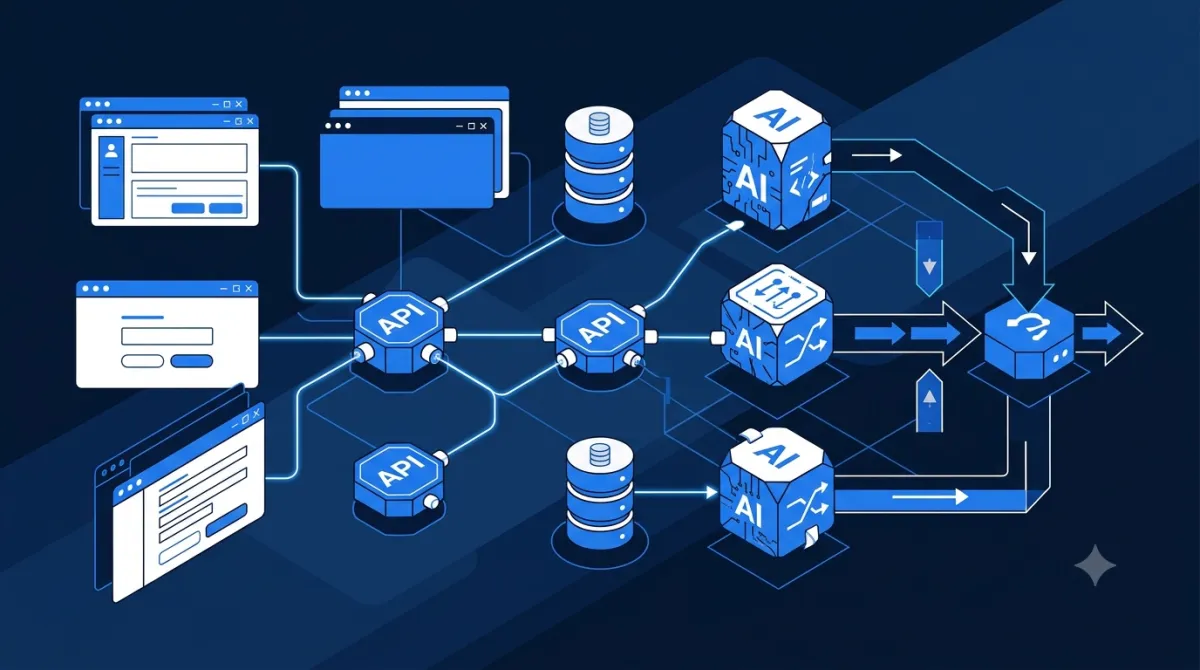
As automation expands, workflows stop interacting with web pages alone. They begin coordinating APIs, databases, AI models, messaging platforms, storage services, and internal applications.
That's where an n8n AI workflow automation tutorial becomes less about learning a tool and more about understanding orchestration architecture.
The long-term challenge isn't automating individual actions.
It's coordinating entire systems reliably.
Browser Automation Solves Interfaces. Orchestration Connects Systems.
Browser automation remains valuable whenever software lacks a usable API.
Typical examples include:
- Legacy business applications
- Internal administrative portals
- Manual dashboard operations
- Browser-based testing
- Data entry tasks
These are interface problems.
As soon as multiple systems begin exchanging structured data, APIs usually become more reliable than browser interactions.
Consider a modern content operations workflow:
- Monitor RSS feeds or news APIs.
- Retrieve newly published articles.
- Summarize content with an LLM.
- Extract structured metadata.
- Generate SEO recommendations.
- Store results in a database.
- Notify editors through Slack.
- Schedule publication.
- Archive completed content.
Only a small portion of this workflow depends on browser interaction.
Most of the complexity comes from coordinating services.
Choosing the right level of abstraction often matters more than choosing the most capable AI model.
Workflow Complexity Grows Faster Than Individual Tasks
Few automation projects fail because one task is difficult.
They fail because dozens of simple tasks become difficult to coordinate.
As workflows expand, new engineering challenges appear:
- Conditional execution
- Authentication across services
- Retry policies
- Scheduling
- Parallel execution
- Error recovery
- Audit history
- Version management
Without orchestration, this logic becomes scattered across browser scripts, custom code, and disconnected automations.
Central orchestration creates a single execution model.
That makes workflows easier to understand, maintain, and troubleshoot.
Operational simplicity—not additional automation—is the real benefit.
Build Automation as Layers Instead of Individual Scripts
A scalable automation platform separates responsibilities.
One practical architecture looks like this.
| Layer | Responsibility |
|---|---|
| Interface Layer | Browser automation when APIs are unavailable |
| Integration Layer | APIs, databases, cloud storage, messaging platforms |
| AI Layer | Language models, embeddings, classification, summarization |
| Business Logic Layer | Validation, approvals, routing, decision rules |
| Observability Layer | Logging, monitoring, retries, execution history |
Each layer solves a different problem.
Browser automation becomes one implementation detail instead of the foundation for the entire workflow.
That separation improves flexibility.
If an application later exposes an API, only the interface layer changes while the remainder of the workflow continues operating normally.
This architectural approach also simplifies long-term maintenance as organizations adopt new AI models, cloud services, or internal systems.
Observability Is More Valuable Than Another AI Feature
Many automation demonstrations appear flawless.
Production environments expose different realities.
External APIs fail.
Authentication expires.
Data formats change.
Rate limits appear unexpectedly.
Without observability, identifying failures becomes expensive.
Every production workflow should answer questions such as:
- Which step failed?
- Which input triggered the failure?
- Was the operation retried?
- Were duplicate records created?
- Did downstream systems receive incomplete data?
- How long did each stage take?
Useful engineering practices include:
- Structured logging
- Execution history
- Retry policies
- Idempotent operations
- Workflow version control
- Alerting for failed executions
These capabilities often improve operational reliability more than introducing another AI model.
Reliable automation should reduce uncertainty instead of creating invisible failure points.
A Practical Framework for Choosing the Right Automation Strategy
Before automating a workflow, evaluate it using four architectural questions.
Does the application provide an API?
If the answer is yes, direct API integration is usually more reliable than browser automation.
Is human judgment still required?
Approvals, compliance checks, and business decisions often benefit from hybrid workflows rather than complete automation.
How many systems participate?
The greater the number of connected services, the more valuable centralized orchestration becomes.
Will the workflow require monitoring?
Production systems should support execution history, retries, diagnostics, and operational visibility from the beginning.
Projects that answer "yes" to multiple questions typically benefit from workflow orchestration instead of browser-only automation.
The objective isn't replacing browser automation.
It's using browser automation only where it provides unique value.
Sustainable Automation Comes From Architecture, Not Tools
Automation platforms will continue evolving.
AI agents, browser automation, orchestration engines, language models, and enterprise integrations are steadily converging into larger automation ecosystems.
The organizations that benefit most won't necessarily adopt every new platform first.
They'll build architectures that remain understandable, observable, modular, and resilient as technology changes.
If you're following an n8n AI workflow automation tutorial, begin by mapping the business process before selecting implementation tools.
Identify:
- Which tasks require browser interaction
- Which systems communicate through APIs
- Where AI adds measurable value
- Which decisions require human review
- How failures will be detected and recovered
Those design decisions have a far greater impact than any individual workflow node.
For readers building broader AI infrastructure, TipJournal's guides on Testing AI Agents in Production, Continuous Validation Pipelines, and Shadow AI Governance provide complementary practices for deploying automation that remains reliable as systems scale.
Ultimately, an effective n8n AI workflow automation tutorial teaches more than workflow construction. It teaches how to build automation architectures that continue operating predictably as organizations, services, and AI capabilities evolve.