
OutSystems AI
Use OutSystems AI as the anchor for a real shortlist.
Instead of returning to a broad directory, jump straight into the strongest adjacent matchups for pricing, workflow fit, and differentiation.
Overview
Overview
OutSystems AI is a low-code development platform that integrates artificial intelligence to help organizations build, deploy, and govern applications and AI agents faster. It is designed for professional developers and citizen developers alike, enabling rapid application delivery without sacrificing control or security. The platform's AI capabilities assist with code generation, testing, and debugging, reducing manual effort and accelerating time-to-market.
Key Features
- AI-Assisted Development: Generate code and app logic using natural language prompts, reducing manual coding effort.
- Low-Code Visual Editor: Drag-and-drop components to build user interfaces and business logic without deep coding expertise.
- AI Agent Builder: Create, test, and deploy AI agents that automate tasks and integrate with existing systems.
- Governance & Security: Role-based access, audit logs, and policy enforcement ensure enterprise-grade compliance.
- One-Click Deployment: Deploy apps to cloud, on-premises, or hybrid environments with a single click.
- Integration Marketplace: Pre-built connectors for popular enterprise tools such as SAP, Salesforce, and Microsoft Dynamics.
- Real-Time Monitoring: Dashboard to track application performance, usage analytics, and AI agent activity.
- Version Control: Built-in version management for collaborative development and rollback.
Use Cases
Rapid Application Development
Enterprises needing to quickly prototype and deploy internal tools can use OutSystems AI to build functional apps without extensive coding, reducing development cycles from months to weeks.
AI-Powered Automation
Teams can create AI agents to automate repetitive tasks such as data entry, report generation, and customer follow-ups, freeing employees for higher-value work.
Legacy System Modernization
Organizations can modernize legacy applications by wrapping them with OutSystems AI’s low-code interfaces and adding AI capabilities without rewriting the entire system.
Citizen Developer Enablement
Business analysts and non-technical staff can build simple applications and workflows using the visual editor, while developers oversee governance and integration.
Pricing & Plans
OutSystems AI uses a freemium model. The free tier provides limited app development and deployment capabilities, suitable for small projects and evaluation. Paid plans include Team and Enterprise tiers with higher app limits, advanced AI features, dedicated support, and enterprise-grade security. Custom pricing is available for large organizations. Exact prices are not publicly disclosed, and interested users must contact sales for a quote.
Integrations & Compatibility
The platform integrates with popular enterprise systems including Salesforce, SAP, Microsoft Azure, Amazon Web Services, Google Cloud, and multiple databases (SQL Server, Oracle, MySQL). It also provides REST and SOAP APIs for custom integrations.
Who Is It For?
OutSystems AI is designed for professional developers seeking to accelerate app delivery, enterprise IT teams looking to modernize legacy systems, and citizen developers wanting to create business applications with minimal coding. It is also suitable for organizations adopting AI to automate workflows.
Limitations
- The free tier has limited app scalability and feature access, which may restrict larger projects.
- Custom pricing for paid plans requires sales consultation, making upfront budgeting difficult.
- The platform's visual editor may have a learning curve for developers accustomed to traditional coding environments.
- Advanced AI features are only available on higher-tier paid plans.
Final Verdict
OutSystems AI is a powerful low-code platform that effectively combines visual development with AI assistance. It is well-suited for enterprises looking to accelerate application delivery and automate workflows. While the pricing model may require a sales discussion for serious adoption, the platform’s integration ecosystem and governance features make it a strong choice for organizations committed to low-code strategies.
Tool Facts
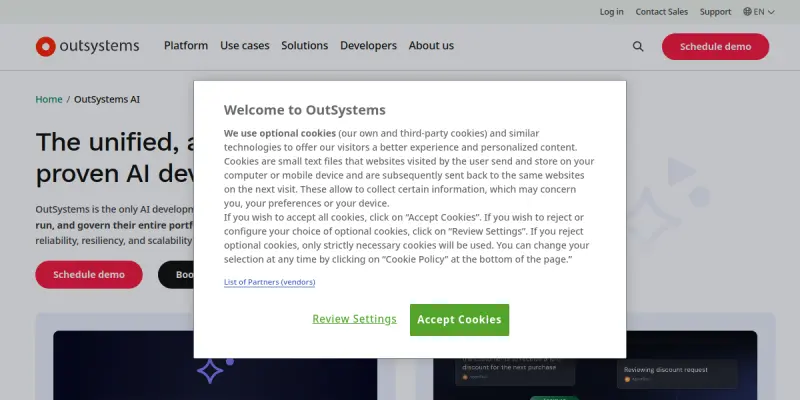
Screenshots & Interface
Pros
- ✓ Provides a visual drag-and-drop interface that accelerates app development for both developers and non-developers.
- ✓ Integrates AI agents to automate repetitive tasks, improving workflow efficiency across departments.
- ✓ Offers one-click deployment to cloud, on-premises, or hybrid environments for flexible hosting options.
- ✓ Includes built-in governance and security controls suitable for enterprise compliance requirements.
- ✓ Supports integration with major enterprise systems like Salesforce, SAP, and Azure via pre-built connectors.
Cons
- × Free tier has limited app scalability and feature access, which may restrict larger projects.
- × Custom pricing for paid plans requires consultation with sales, making upfront cost estimation difficult.
- × The visual editor may have a learning curve for developers used to traditional coding environments.
- × Advanced AI features are locked behind higher-tier paid plans, limiting AI use for budget-conscious teams.
How to Use OutSystems AI in Your Workflow
Integrating OutSystems AI into your professional toolkit enhances efficiency by automating manual steps. By configuring it to suit your specific project requirements, you can optimize output quality and reduce project cycle times. Standard workflows involve testing the tool on simple tasks before scaling its use to complex operations.
Frequently Asked Questions
What is OutSystems AI used for?
OutSystems AI is a low-code platform that enables developers to build, deploy, and govern custom applications and AI agents. It accelerates app delivery by combining visual development with AI-assisted tools, targeting enterprise development teams.
What is the pricing model for OutSystems AI?
OutSystems AI uses a Freemium pricing model.
What are the main advantages of OutSystems AI?
The key benefits of OutSystems AI include: Provides a visual drag-and-drop interface that accelerates app development for both developers and non-developers., Integrates AI agents to automate repetitive tasks, improving workflow efficiency across departments., Offers one-click deployment to cloud, on-premises, or hybrid environments for flexible hosting options., Includes built-in governance and security controls suitable for enterprise compliance requirements., Supports integration with major enterprise systems like Salesforce, SAP, and Azure via pre-built connectors..
What are the main limitations of OutSystems AI?
Some limitations or cons of OutSystems AI are: Free tier has limited app scalability and feature access, which may restrict larger projects., Custom pricing for paid plans requires consultation with sales, making upfront cost estimation difficult., The visual editor may have a learning curve for developers used to traditional coding environments., Advanced AI features are locked behind higher-tier paid plans, limiting AI use for budget-conscious teams..
Alternative AI Tools
Veracode AI
Veracode AI is an application security platform that helps development teams identify and fix vulnerabilities in their code. It uses AI-driven analysis to prioritize risks and integrates with CI/CD pipelines for continuous security.

Applitools
Applitools is an AI-powered end-to-end testing platform that uses Visual AI and GenAI to automate visual testing and maintenance. It helps QA teams, developers, and non-technical users increase test coverage while reducing false positives. The platform offers no-code capabilities for easier adoption.

PagerDuty AI
PagerDuty AI is an AI-enhanced operations platform that helps DevOps and IT teams automate incident response. It uses machine learning to detect, diagnose, and resolve critical issues faster, reducing manual toil.
Rating Details
Based on 0 ratings
Related Tools
More AI tools from the same workflow, industry, or category.
AICode
AICode is a spec-driven AI coding copilot for developers using Visual Studio Code. It enforces a disciplined workflow to prevent AI-generated technical debt and ensures maintainable code. Its key differentiator is forcing line-by-line human review before changes are applied.
Opik
Opik is an open-source platform for LLM observability and evaluation. It helps developers trace, test, and monitor AI applications and autonomous agents throughout development and production.
PlanetScale AI
PlanetScale provides serverless cloud hosting for Vitess and PostgreSQL databases. It targets developers and engineering teams requiring high-performance, scalable database infrastructure. The platform enables instant scaling and branching workflows.
CodeReview AI
CodeReview AI is a tool that uses artificial intelligence to analyze code and suggest improvements. It helps developers identify bugs, security issues, and style inconsistencies automatically. The tool integrates with popular version control systems to fit into existing workflows.
Reviews
No reviews submitted yet. Be the first to share your experience.
Write a Review
Share Your Experience
Join the community to write reviews, submit ratings, and bookmark your favorite AI tools.