

Pixlr AI
Use Pixlr AI as the anchor for a real shortlist.
Instead of returning to a broad directory, jump straight into the strongest adjacent matchups for pricing, workflow fit, and differentiation.
Overview
Overview
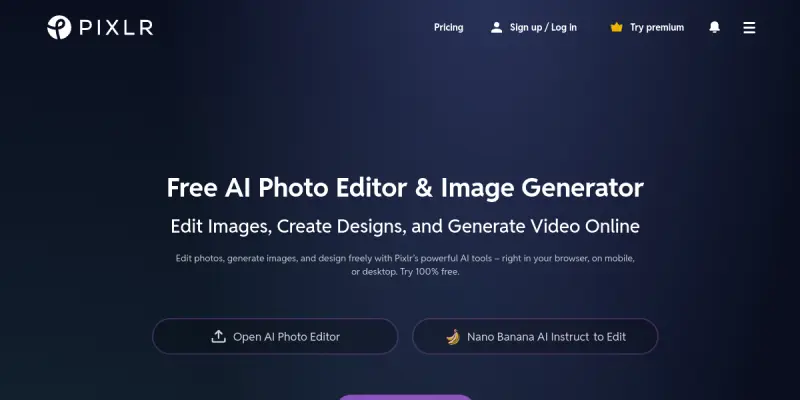
Pixlr is a comprehensive online photo editing and graphic design platform that combines traditional editing tools with modern AI-powered features. Developed by Pixlr, a company owned by the 123RF group, the service runs entirely in the browser without requiring any software installation. It serves a wide range of users, from casual photo editors to professional designers, by offering a suite of tools including a full-featured photo editor, AI image generator, batch processing, animation design, and image enhancement.
Key Features
- AI Image Generator: Generate new images from text prompts using built-in AI models, allowing users to create custom visuals for social media, presentations, and more.
- Batch Editor: Edit multiple images simultaneously with the same adjustments, saving time for bulk photo processing tasks.
- Background Remover: Remove or replace backgrounds automatically with AI, with support for edge refinement.
- Animation Designer: Create simple animated graphics, such as GIFs or motion text, directly within the editor.
- Image Enhancer: Automatic one-click enhancement that adjusts brightness, contrast, and saturation for better-looking images.
- Layer-Based Editing: Supports layers, masks, and blending modes for advanced compositing and design work.
- Template Library: Access a library of pre-designed templates for social media posts, flyers, banners, and more.
- Cross-Device Sync: Save projects to the cloud and access them from any device with an internet connection.
Use Cases
Social Media Content Creation
Marketers and social media managers can use Pixlr to quickly design engaging posts, story graphics, and banners. The template library and AI image generator help maintain brand consistency without needing a dedicated designer.
E-Commerce Product Photography
E-commerce sellers can edit product photos in bulk using the batch editor, remove backgrounds for consistent product thumbnails, and apply uniform enhancements across an entire catalog.
Personal Photo Editing
Casual users can use Pixlr to retouch vacation photos, apply creative filters, or create collages. The intuitive interface and free tier make it accessible to anyone without prior design experience.
Quick Graphic Prototyping
Designers can quickly mock up ideas, test color schemes, or create placeholder graphics using Pixlr’s layer system and AI tools before moving to more advanced software.
Pricing & Plans
Pixlr operates on a freemium model. The free tier provides access to essential editing tools, templates, and limited AI credits. Paid plans include Pixlr Premium and Pixlr Plus, which unlock additional features such as advanced AI tools, unlimited batch processing, expanded template libraries, and more cloud storage. Pricing is not fully disclosed publicly; prospective users should visit the official website for the most current prices.
Integrations & Compatibility
Pixlr is a web-based application, so it works on any modern browser (Chrome, Firefox, Safari, Edge) across Windows, macOS, Linux, and Chrome OS. It does not natively integrate with third-party services, but users can import images from their device, cloud storage, or directly from URLs. Designs can be exported in various formats (PNG, JPG, SVG, PSD) and shared via links.
Who Is It For?
Pixlr is designed for anyone who needs quick, browser-based photo editing and design without the overhead of installing software. This includes casual users, students, social media managers, small business owners, and professional designers looking for a lightweight companion tool.
Limitations
- Internet-Dependent: Since it is entirely browser-based, Pixlr requires a stable internet connection; offline functionality is not available.
- Advanced Features Behind Paywall: Many advanced AI tools, high-resolution exports, and batch processing are limited to paid subscriptions.
- Performance: Large files or complex compositions may cause slowdowns, as all processing is server-side or handled by the browser.
- Limited Third-Party Integrations: Pixlr does not offer native integration with productivity suites like Google Drive or Adobe Creative Cloud, though you can manually import/export.
Final Verdict
Pixlr is a solid choice for users who need a fast, no-install photo editing and design tool with AI capabilities. Its free tier is generous enough for basic editing, making it accessible to a wide audience. The AI image generator and background remover are strong additions for quick creative tasks. However, professionals relying on high-performance or offline workflows may find limitations. Overall, Pixlr is a versatile and user-friendly option for online image editing and design.
Tool Facts
Screenshots & Interface
Pros
- ✓ Runs entirely in the browser with no software installation required.
- ✓ Generous free tier includes core editing tools and limited AI credits.
- ✓ AI image generator and background remover provide quick creative results.
- ✓ Template library accelerates design for social media and marketing.
- ✓ Supports image batch editing for bulk processing needs.
Cons
- × Requires a stable internet connection for all editing functions.
- × Advanced features like high-resolution exports and unlimited batch processing are locked behind paid plans.
- × Processing large files can lead to slow performance or browser limitations.
- × No native integration with popular cloud storage or productivity services.
How to Use Pixlr AI in Your Workflow
Integrating Pixlr AI into your professional toolkit enhances efficiency by automating manual steps. By configuring it to suit your specific project requirements, you can optimize output quality and reduce project cycle times. Standard workflows involve testing the tool on simple tasks before scaling its use to complex operations.
Frequently Asked Questions
What is Pixlr AI used for?
Pixlr is an online photo editing and graphic design suite that includes AI-powered tools like an image generator, background remover, and batch editor. It caters to designers, marketers, and casual users who need accessible, browser-based editing capabilities. Key differentiators are ease of use and a robust free tier.
What is the pricing model for Pixlr AI?
Pixlr AI uses a Paid pricing model.
What are the main advantages of Pixlr AI?
The key benefits of Pixlr AI include: Runs entirely in the browser with no software installation required., Generous free tier includes core editing tools and limited AI credits., AI image generator and background remover provide quick creative results., Template library accelerates design for social media and marketing., Supports image batch editing for bulk processing needs..
What are the main limitations of Pixlr AI?
Some limitations or cons of Pixlr AI are: Requires a stable internet connection for all editing functions., Advanced features like high-resolution exports and unlimited batch processing are locked behind paid plans., Processing large files can lead to slow performance or browser limitations., No native integration with popular cloud storage or productivity services..
Alternative AI Tools

Stable Diffusion
Stable Diffusion is an open-source text-to-image model that generates photorealistic visuals from natural language prompts. It is widely used by artists, designers, and developers for creative and commercial projects, and runs locally on consumer hardware.

BlueWillow
BlueWillow is a free AI image generator that lets you create artwork from text prompts. It serves users who want a no-cost alternative to Midjourney, with a focus on Discord-based generation. Its key differentiator is providing high-quality outputs without a subscription.

Framer AI
Framer AI helps designers and teams create fully custom websites using a no-code visual builder. It offers a powerful CMS, built-in SEO tools, and real-time collaboration features. The platform combines design freedom with AI-powered layout generation for faster workflows.
Rating Details
Based on 0 ratings
Quick Comparisons
Related Tools
More AI tools from the same workflow, industry, or category.
Createimg.ai
Createimg.ai provides text-to-image generation and photo editing tools including background removal. It is designed for e-commerce sellers and creators needing free visual assets.
JetBrains AI
JetBrains AI is an AI-powered toolset integrated into JetBrains IDEs, offering code completion, debugging assistance, and intelligent suggestions for developers. It leverages large language models to help teams write, understand, and refactor code more efficiently. A key differentiator is its seamless integration with JetBrains' existing development environment.
Stable Diffusion Inpaint
Stable Diffusion Inpaint is an AI-powered tool that uses diffusion models to intelligently fill in or replace parts of an image. It is designed for photographers, designers, and content creators who need precise and context-aware image editing. Its key differentiator is the ability to generate new content that seamlessly blends with the existing image.
Crello AI
VistaCreate (formerly Crello) is a cloud-based design tool using AI to generate graphics from text prompts. It features 100K+ templates for social media and marketing.
Reviews
No reviews submitted yet. Be the first to share your experience.
Write a Review
Share Your Experience
Join the community to write reviews, submit ratings, and bookmark your favorite AI tools.