
The Economics of AI Agents: Understanding the Real Cost of Autonomous Systems
An AI agent can answer a question with a single model call. It can also spend several minutes planning, searching the web, reading documents, calling APIs, evaluating results, retrying failed operations, and generating a final response.
Both interactions may look like a single task to the user. Their operating costs can be very different.
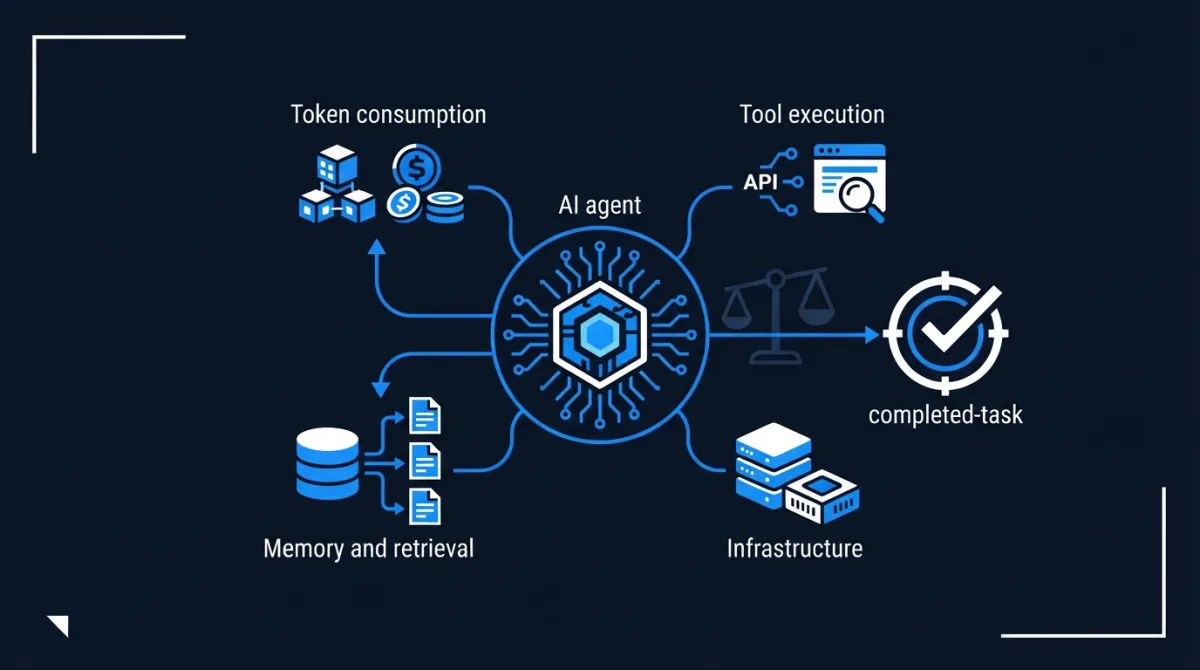
This is one of the most important differences between traditional LLM applications and autonomous AI systems: the cost of an agent is determined not only by the model it uses, but also by the work it performs around that model.
A cheap model can become expensive when an agent uses it inefficiently. A more capable model can sometimes reduce total costs by completing a task with fewer calls and fewer failures.
To understand the economics of AI agents, developers need to look beyond token prices and measure the cost of successfully completing a task.
This guide breaks down the main cost drivers, explains how to calculate agent operating costs, and presents practical strategies for building systems that remain economically viable at scale.
1. Why an AI agent costs more than an LLM call
A conventional LLM application often follows a relatively simple pattern:
- Receive a user prompt.
- Send it to a model.
- Return the generated response.
An autonomous agent follows a more complex execution loop:
- Interpret the objective.
- Plan the next action.
- Select a tool.
- Execute the tool.
- Inspect the result.
- Decide whether another action is required.
- Repeat until the task is complete.
- Generate the final response.
Each step may introduce additional consumption.
For example, consider a research agent asked to compare three software products.
It might:
- Call a model to plan the research.
- Perform several web searches.
- Open and read multiple pages.
- Call the model again to extract relevant information.
- Search for missing specifications.
- Compare the collected evidence.
- Ask another model call to verify the conclusions.
- Generate the final report.
The user sees one research task. The system performs many operations.
The distinction matters because API pricing usually measures individual resources, while the product delivers completed tasks.
A useful economic model must therefore include the entire execution lifecycle.
2. The seven main cost drivers of an AI agent
2.1 Model inference: input, output, and reasoning tokens
Model inference is often the most visible cost.
Providers commonly distinguish between:
- Input tokens: Instructions, conversation history, retrieved documents, tool definitions, and other context sent to the model.
- Output tokens: Generated responses, structured outputs, and tool-call arguments.
- Cached input tokens: Previously processed input that can be reused at a different price.
- Reasoning tokens: Internal reasoning consumption for models that expose separate reasoning usage.
Input and output tokens may have significantly different prices.
For example, a task that sends a large amount of context but generates a short answer has a different cost profile from one that produces a lengthy response.
Reasoning models introduce another consideration: the visible answer does not necessarily represent all the tokens consumed. Internal reasoning usage can contribute to the bill.
The general inference-cost formula is:
Inference cost = input cost + output cost + applicable cached-token cost + other model-specific charges
For a simple model with separate input and output rates:
[ C_{\text{LLM}} = \frac{T_{\text{in}}P_{\text{in}}}{10^6} + \frac{T_{\text{out}}P_{\text{out}}}{10^6} ]
Where:
- (T_{\text{in}}) = input tokens.
- (T_{\text{out}}) = output tokens.
- (P_{\text{in}}) = price per million input tokens.
- (P_{\text{out}}) = price per million output tokens.
This calculation should be performed for every model call in the agent workflow, not just the final response.
2.2 Tool execution
Agents become useful because they can interact with external systems.
However, tools can introduce costs that are independent of model inference.
Examples include:
| Tool | Potential cost source |
|---|---|
| Web search | Search requests and retrieved content |
| Browser | Hosted browser sessions and compute |
| Code interpreter | Container execution time and resources |
| Database | Query execution, storage, and infrastructure |
| Vector search | Database operations and hosting |
| External APIs | Requests, usage tiers, and subscription fees |
| Third-party service usage | |
| File processing | Storage, parsing, and processing |
Some providers charge per tool call. Others charge for the resources consumed during execution.
There can also be indirect inference costs. Search results and tool responses are often sent back to the model, increasing input-token consumption.
A search operation may therefore generate two expenses:
- The search service itself.
- The model tokens needed to interpret the search results.
This is why counting only model tokens produces an incomplete cost estimate.
2.3 Retrieval and memory
Agents often need information beyond the immediate conversation.
They may retrieve documents, search vector databases, load previous interactions, or access long-term memory.
These operations introduce several potential expenses:
- Document extraction and preprocessing.
- Embedding generation.
- Vector database hosting.
- Storage and indexing.
- Retrieval queries.
- Reranking models.
- Additional model context.
Consider an agent that receives a short question but retrieves 30 large documents.
Even if the final answer is only a few paragraphs, the retrieved information can significantly increase input-token consumption.
Memory creates a similar challenge.
An agent that repeatedly loads its entire conversation history into the model may become progressively more expensive as the session grows.
The objective should be to retrieve the relevant information, not to send everything the system knows.
2.4 Retries and failed execution
An agent may fail to complete a task on its first attempt.
It might:
- Call the wrong tool.
- Generate invalid parameters.
- Receive an API error.
- Misinterpret a search result.
- Repeat a previous action.
- Fail an evaluation check.
- Restart a workflow after a timeout.
Every retry may consume additional model tokens, tool requests, and infrastructure resources.
Retries are particularly important in autonomous systems because they can multiply across several stages.
For example, if an agent makes five tool calls and each operation has its own retry logic, the total execution can become much larger than the original plan.
Unbounded retries are therefore both a reliability problem and an economic problem.
Production systems should enforce:
- Maximum retry counts.
- Exponential backoff where appropriate.
- Execution timeouts.
- Maximum tool-call limits.
- Duplicate-operation protection.
- Clear termination conditions.
A retry should be justified by a recoverable failure, not triggered indefinitely because the model has not produced the desired result.
2.5 Orchestration and multi-agent coordination
Some systems divide work between several specialized agents.
For example:
- A planner agent defines the task.
- A research agent collects information.
- An analysis agent evaluates the findings.
- A reviewer agent checks the result.
- A reporting agent prepares the output.
This architecture can improve task decomposition and specialization, but it introduces additional model calls and communication overhead.
Agents may also repeat work, exchange large context windows, or generate unnecessary intermediate outputs.
More agents do not automatically mean better performance.
A multi-agent system should justify its additional costs through measurable improvements in task success, quality, throughput, or maintainability.
For a straightforward extraction task, a single model call may be more economical than coordinating several agents.
2.6 Infrastructure and deployment
Model usage is only part of the operating budget.
Production agents also require infrastructure:
- Application servers.
- Databases.
- Vector databases.
- Object storage.
- Queues and workflow engines.
- Sandboxed execution environments.
- Logging and tracing.
- Monitoring and alerting.
- Network traffic.
- Background workers.
Some systems also need persistent browser sessions, scheduled jobs, or long-running containers.
Infrastructure costs may be fixed, usage-based, or a combination of both.
An agent that receives very little traffic can still generate significant infrastructure costs if its services remain running continuously.
For this reason, developers should distinguish between:
Fixed costs: Baseline infrastructure, subscriptions, reserved capacity, and minimum hosting expenses.
Variable costs: Model usage, tool requests, storage growth, execution time, and network consumption.
The distinction becomes especially important when estimating the cost of serving different volumes of users.
2.7 Latency and concurrency
Latency is not always a direct monetary charge, but it affects the economics of an agent.
A workflow that performs ten sequential model calls may take substantially longer than one that performs independent operations in parallel.
Longer execution can increase:
- Worker occupancy.
- Container lifetime.
- Concurrent infrastructure requirements.
- User waiting time.
- Timeout and retry probability.
Parallel execution can improve throughput, but it can also increase peak resource consumption and trigger provider rate limits.
The goal is not to minimize every execution time at any cost. It is to find an appropriate balance between latency, reliability, and resource consumption.
3. Calculate the real cost per successful task
The most useful metric for an agent-based product is not simply cost per request.
It is cost per successfully completed task.
A request may fail, time out, or produce an unusable result. Those attempts still consume resources.
The calculation should account for both successful and unsuccessful executions.
Step 1: Calculate the cost of an execution
A practical model is:
[ C_{\text{execution}} = C_{\text{inference}} + C_{\text{tools}} + C_{\text{retrieval}} + C_{\text{infrastructure}} + C_{\text{other}} ]
Where each component represents the resources consumed during that execution.
Step 2: Calculate average execution cost
If the system performs multiple attempts, calculate the average cost across all attempts:
[ C_{\text{average}} = \frac{\text{Total operating cost}}{\text{Total attempts}} ]
Step 3: Adjust for task success rate
If the success rate is (S), expressed as a decimal:
[ C_{\text{successful task}} = \frac{C_{\text{average}}}{S} ]
For example, assume a system has:
- Average cost per attempt: $0.12.
- Successful completion rate: 80%.
Then:
[ C_{\text{successful task}} = \frac{0.12}{0.80} = $0.15 ]
The system spends an average of $0.15 for each successful task, not $0.12.
This simplified calculation assumes the average cost per attempt includes failed attempts and that success is measured consistently. For workflows with very different costs between successful and failed attempts, calculate total observed cost divided by the number of successful tasks instead.
Step 4: Include operational overhead
For a business application, the total cost may also include:
- Shared infrastructure.
- Monitoring and observability.
- Evaluation runs.
- Support and maintenance.
- External service subscriptions.
- Unused capacity.
A more complete metric is:
[ C_{\text{delivered task}} = \frac{\text{Total attributable operating cost}} {\text{Number of successfully completed tasks}} ]
This gives a more realistic view of the economics of the product.
4. Worked example: estimating the cost of a research agent
Consider a hypothetical research agent that compares products using a model, web search, and a final synthesis step.
Assume the following usage for one task:
| Operation | Usage |
|---|---|
| Planning model call | 5,000 input tokens, 500 output tokens |
| Research and extraction calls | 20,000 input tokens, 2,000 output tokens |
| Final synthesis | 10,000 input tokens, 1,500 output tokens |
| Web search | 8 requests |
| Tool and execution infrastructure | $0.03 |
For illustration, assume a model price of:
- $2 per million input tokens.
- $10 per million output tokens.
- No cached tokens.
These are hypothetical calculation rates, not a quote for a particular provider.
Model cost
Total input tokens:
[ 5,000 + 20,000 + 10,000 = 35,000 ]
Total output tokens:
[ 500 + 2,000 + 1,500 = 4,000 ]
Input cost:
[ \frac{35,000 \times 2}{1,000,000} = $0.07 ]
Output cost:
[ \frac{4,000 \times 10}{1,000,000} = $0.04 ]
Total model cost:
[ 0.07 + 0.04 = $0.11 ]
Assume web search costs $0.01 per request for this example:
[ 8 \times 0.01 = $0.08 ]
Add the assumed infrastructure cost:
[ C_{\text{task}} = 0.11 + 0.08 + 0.03 = $0.22 ]
Illustrative total: $0.22 per attempt.
Now assume only 85% of attempts produce an acceptable result:
[ C_{\text{successful task}} = \frac{0.22}{0.85} \approx $0.259 ]
The effective cost is approximately $0.26 per successful research task.
At 10,000 successful tasks per month:
[ 10,000 \times 0.259 \approx $2,590 ]
This example excludes fixed platform costs, taxes, discounts, and other overhead. Its purpose is to demonstrate how multiple small expenses accumulate into a meaningful operating budget.
5. Why the cheapest model is not always the cheapest solution
A common optimization strategy is to replace an expensive model with a cheaper one.
That can work, but model price alone is not enough to determine economic efficiency.
Consider two hypothetical models:
| Metric | Model A | Model B |
|---|---|---|
| Cost per attempt | $0.05 | $0.12 |
| Success rate | 50% | 95% |
| Cost per successful task | $0.10 | $0.126 |
Model A remains cheaper per successful task in this particular example, despite its lower reliability.
However, if Model A's failure rate leads to additional human review, operational delays, or expensive downstream corrections, the economic comparison may change.
Now suppose Model A's success rate falls to 30%:
[ \frac{0.05}{0.30} \approx $0.167 ]
Model B becomes the more economical option.
This illustrates an important principle:
The cheapest inference is not necessarily the cheapest completed outcome.
Model selection should consider:
- Task success rate.
- Number of model calls required.
- Input and output token consumption.
- Reasoning requirements.
- Tool-use accuracy.
- Latency.
- Human correction costs.
- Reliability under realistic workloads.
The right model is the one that delivers the required quality at the lowest total cost.
6. Strategies for reducing AI agent operating costs
Cost optimization should target unnecessary work without reducing the quality or reliability of the result.
6.1 Use model routing
Not every operation requires the same level of reasoning.
A system can route different tasks to different models:
| Task | Appropriate model profile |
|---|---|
| Classification | Small, inexpensive model |
| Information extraction | Small or medium model |
| Query rewriting | Small model |
| Tool selection | Model suited to structured decisions |
| Complex reasoning | More capable reasoning model |
| Final synthesis | Model selected for quality and output requirements |
For example, a research agent might use a smaller model to classify search results and a stronger model to produce the final analysis.
This avoids using an expensive model for every operation.
However, routing should be evaluated against task success. An inexpensive model that repeatedly makes incorrect tool selections can create more costs than it saves.
6.2 Reduce unnecessary context
Long prompts and conversation histories can become expensive.
Common sources of unnecessary context include:
- Repeating system instructions.
- Sending the complete conversation history.
- Including irrelevant retrieved documents.
- Passing full tool outputs when only a few fields are required.
- Repeating large tool descriptions.
Useful techniques include:
- Summarizing previous interactions.
- Keeping persistent instructions compact.
- Retrieving only relevant documents.
- Limiting the number of retrieved chunks.
- Removing duplicate content.
- Passing structured results instead of entire raw responses.
Context management is not only an optimization technique. It can also improve the model's ability to focus on relevant information.
6.3 Use prompt caching
Agent workflows often repeat the same instructions across many model calls.
Examples include:
- System prompts.
- Tool definitions.
- Stable business rules.
- Reusable instructions.
- Large reference documents.
Prompt caching allows providers to reuse eligible repeated input rather than processing it at the standard uncached price.
The exact implementation and pricing vary by provider.
Developers should:
- Keep reusable prompt prefixes stable.
- Place repeated content in cache-friendly positions.
- Avoid changing static instructions unnecessarily.
- Monitor cache-read and cache-write usage.
- Compare caching savings with any storage or write costs.
Caching is particularly useful for workflows that repeatedly call the same agent with a large, mostly unchanged instruction set.
6.4 Use batch processing for asynchronous work
Some tasks do not require an immediate response.
Examples include:
- Classifying large document collections.
- Extracting information from historical records.
- Generating embeddings.
- Evaluating completed agent traces.
- Processing scheduled reports.
Batch APIs can reduce costs for eligible workloads in exchange for asynchronous processing.
This is not appropriate for every agent interaction, but it can be useful when the application can tolerate delayed results.
6.5 Limit unnecessary tool calls
Tool calls should have a clear purpose.
An agent should not search repeatedly for information it has already retrieved or call an external API simply because the tool is available.
Useful controls include:
- Tool-call budgets.
- Search limits.
- Duplicate request detection.
- Result caching.
- Explicit stopping conditions.
- Structured tool outputs.
- Reuse of previously validated results.
A system should also avoid unnecessary model calls between deterministic operations. If application code can validate a date, calculate a total, or check a required field, it often does not need another model inference.
6.6 Use deterministic code where possible
Not every step requires an LLM.
For example:
- Calculating totals.
- Sorting records.
- Checking whether a field exists.
- Validating a schema.
- Applying access rules.
- Formatting dates.
- Detecting duplicate identifiers.
These operations are often cheaper, faster, and more predictable in conventional code.
A good architecture uses models for language understanding and ambiguous decisions while leaving deterministic operations to ordinary software.
6.7 Improve task decomposition
A vague task can lead an agent into unnecessary exploration.
A clear workflow defines:
- The expected output.
- The available tools.
- The order of operations where appropriate.
- The stopping conditions.
- The required quality checks.
- The maximum execution budget.
For example, instead of asking an agent to research a topic without constraints, define the number and type of sources, the required evidence, and the output structure.
Better task boundaries can reduce unnecessary iterations.
6.8 Parallelize independent operations carefully
If an agent needs information from five independent sources, sequentially retrieving each source may increase latency.
Parallel execution can improve throughput.
However, it may increase peak concurrency, consume more resources at once, and trigger rate limits.
Parallelize operations only when they are genuinely independent and when the additional concurrency is justified.
7. Observability: you cannot optimize costs you cannot measure
An agent's cost is distributed across multiple steps.
A single request may contain dozens of model and tool operations. Without tracing, it is difficult to identify which operations generate unnecessary spending.
A useful observability system should record costs at the level of individual executions.
What should be measured?
| Metric | Why it matters |
|---|---|
| Input tokens per task | Detect oversized context |
| Output tokens per task | Identify excessive generation |
| Cached token ratio | Measure caching effectiveness |
| Model calls per task | Detect unnecessary inference |
| Tool calls per task | Detect inefficient tool usage |
| Retry count | Identify execution failures |
| Retrieval volume | Identify excessive context retrieval |
| Average latency | Understand execution performance |
| Success rate | Measure task reliability |
| Cost per successful task | Measure economic efficiency |
Trace the entire execution
A trace should connect the steps that belong to one user task.
For example:
Task: Compare three software products
|
|-- Planning model call
|   |-- Input tokens
|   |-- Output tokens
|
|-- Web search
|   |-- Search request 1
|   |-- Search request 2
|   |-- Search request 3
|
|-- Extraction model call
|   |-- Input tokens
|   |-- Output tokens
|
|-- Product comparison
|   |-- Model usage
|
|-- Final synthesis
    |-- Input tokens
    |-- Output tokens
Each operation should have an associated cost where possible.
This makes it possible to identify expensive steps, compare execution strategies, and investigate failures.
Tools for cost observability
Several tools can help developers understand agent spending:
- LangSmith: Traces agent workflows and tracks model and custom component costs.
- OpenTelemetry: Provides vendor-neutral instrumentation for application and distributed-system observability. GenAI conventions can help standardize model-related telemetry, although convention support varies by implementation.
- Arize Phoenix: Provides tracing and evaluation capabilities for LLM and agent applications.
- Provider usage dashboards: Show billed usage and model-level consumption.
- Custom analytics: Aggregate costs by user, task, workflow, model, and tenant.
A useful architecture combines execution traces with billing data. Trace-derived estimates help explain where resources are consumed; provider invoices show what was actually billed.
8. Budget controls and economic guardrails
Cost tracking tells developers what has already happened. Budget controls prevent the system from consuming more resources than intended.
Production agents should have execution budgets.
A budget can include:
- Maximum model calls per task.
- Maximum input and output tokens.
- Maximum tool calls.
- Maximum search requests.
- Maximum execution duration.
- Maximum retry count.
- Maximum monetary cost per task.
For example, a research agent could have a defined budget of 20 search operations and a maximum execution duration of five minutes.
When the budget is exhausted, the system should stop, return a partial result, or request human intervention according to the product's requirements.
Budget per user and workflow
A global spending limit is not enough for multi-user applications.
A single user or automated workflow could consume a disproportionate amount of the available budget.
Useful controls include:
- Per-user usage limits.
- Per-tenant budgets.
- Per-workflow spending limits.
- Daily and monthly spending thresholds.
- Alerts for abnormal usage.
- Automatic throttling when limits are reached.
These controls make operating costs more predictable and help prevent accidental usage spikes.
9. Economics of single-agent versus multi-agent architectures
Multi-agent systems can improve performance on complex tasks, but they are not automatically more economical.
Consider two approaches to producing a research report.
Architecture A: Single agent
One agent performs research, analysis, and reporting through a sequential workflow.
Architecture B: Multi-agent
Three agents work independently:
- Research.
- Analysis.
- Writing.
The second architecture may offer better specialization and parallel execution. It may also require additional planning, communication, coordination, and final synthesis.
A comparison should measure:
| Dimension | Single agent | Multi-agent |
|---|---|---|
| Model calls | Often fewer | Often more |
| Coordination overhead | Lower | Higher |
| Parallel execution | Limited by workflow | Potentially greater |
| Debugging | Simpler | More complex |
| Context duplication | Usually lower | Can be higher |
| Task specialization | Depends on prompt and tools | Can be explicit |
| Cost predictability | Often easier | Can be harder |
The right architecture depends on the task.
A single agent is often a sensible starting point. Introduce multiple agents only when specialization, parallelism, or independent verification produces measurable benefits.
10. Build an economic evaluation loop
Agent optimization should be treated as an engineering process, not a one-time model selection exercise.
A useful workflow is:
- Define a representative task dataset.
- Measure task success and quality.
- Record total resource consumption.
- Calculate cost per successful task.
- Identify expensive or unreliable steps.
- Change one architectural variable.
- Re-run the same evaluation dataset.
- Compare quality, cost, and latency.
- Deploy only when the trade-off is acceptable.
- Continue monitoring production workloads.
For example, developers can compare:
- A single-agent workflow against a multi-agent workflow.
- A large model against a model-routing strategy.
- Full conversation history against summarized memory.
- Standard retrieval against hybrid retrieval.
- Sequential tool calls against parallel execution.
- Uncached prompts against cached prompts.
The important point is to evaluate both cost and quality.
A system that reduces spending by 40% but cuts successful task completion in half may be a poor optimization.
11. A practical cost model for production planning
Before deploying an agent, estimate its monthly operating cost.
A simple model is:
[ C_{\text{monthly}} = N \times C_{\text{task}} + C_{\text{fixed}} ]
Where:
- (N) = monthly task attempts.
- (C_{\text{task}}) = average variable cost per attempt.
- (C_{\text{fixed}}) = fixed monthly infrastructure and service costs.
To estimate the cost of successful tasks, also account for the completion rate:
[ N_{\text{successful}} = N \times S ]
Then:
[ C_{\text{successful task}} = \frac{C_{\text{monthly}}}{N_{\text{successful}}} ]
This model can be expanded to include different task types, because a simple classification task and a long-running research task may have very different resource profiles.
A production budget should therefore be segmented by workflow rather than relying on one average cost across the entire application.
Conclusion: optimize for completed outcomes, not cheap tokens
AI agent economics is fundamentally a systems problem.
The total cost of an autonomous workflow depends on model inference, tool execution, retrieval, memory, retries, orchestration, infrastructure, and the number of attempts required to complete the task successfully.
Optimizing only token prices misses much of the picture.
The most useful principles are:
- Measure the entire agent execution, not just the final model call.
- Calculate cost per successful task.
- Route simple operations to smaller models and reserve capable models for demanding work.
- Reduce unnecessary context, retrieval, and tool calls.
- Use caching and batch processing when the workload supports them.
- Instrument traces and track costs by workflow.
- Set execution budgets and enforce spending limits.
- Compare architectural changes using both quality and cost metrics.
The goal is not to make every agent as cheap as possible. It is to make each agent economically sustainable while delivering the level of reliability and quality that its users expect.
The meaningful unit of AI agent economics is not the token, the API call, or even the execution. It is the successfully completed task.
Sources and further reading
-
OpenAI — API Pricing
https://developers.openai.com/api/docs/pricing
Model token pricing, prompt caching, tool pricing, containers, and file search. -
Anthropic — Claude Platform Pricing
https://platform.claude.com/docs/en/about-claude/pricing
Model pricing, prompt caching, and batch processing. -
Google — Gemini Developer API Pricing
https://ai.google.dev/gemini-api/docs/pricing
Input and output token pricing, context caching, batch processing, and grounding costs. -
OpenAI — Understanding and Counting Tokens
https://help.openai.com/en/articles/4936856-understanding-and-counting-tokens
Input, output, cached, and reasoning token concepts. -
LangSmith — Cost Tracking
https://docs.langchain.com/langsmith/cost-tracking
Tracking token usage, model costs, custom component costs, and trace-level spending. -
OpenTelemetry — Generative AI Semantic Conventions
https://opentelemetry.io/docs/specs/semconv/gen-ai/
Standardized observability attributes for generative AI operations. -
Arize Phoenix — Documentation
https://arize.com/docs/phoenix
Tracing, evaluation, and observability for LLM applications.
Pricing changes frequently. Provider pricing pages should be checked when estimating a real deployment. The numerical worked example in this article uses explicitly hypothetical rates and is not a provider quotation.